
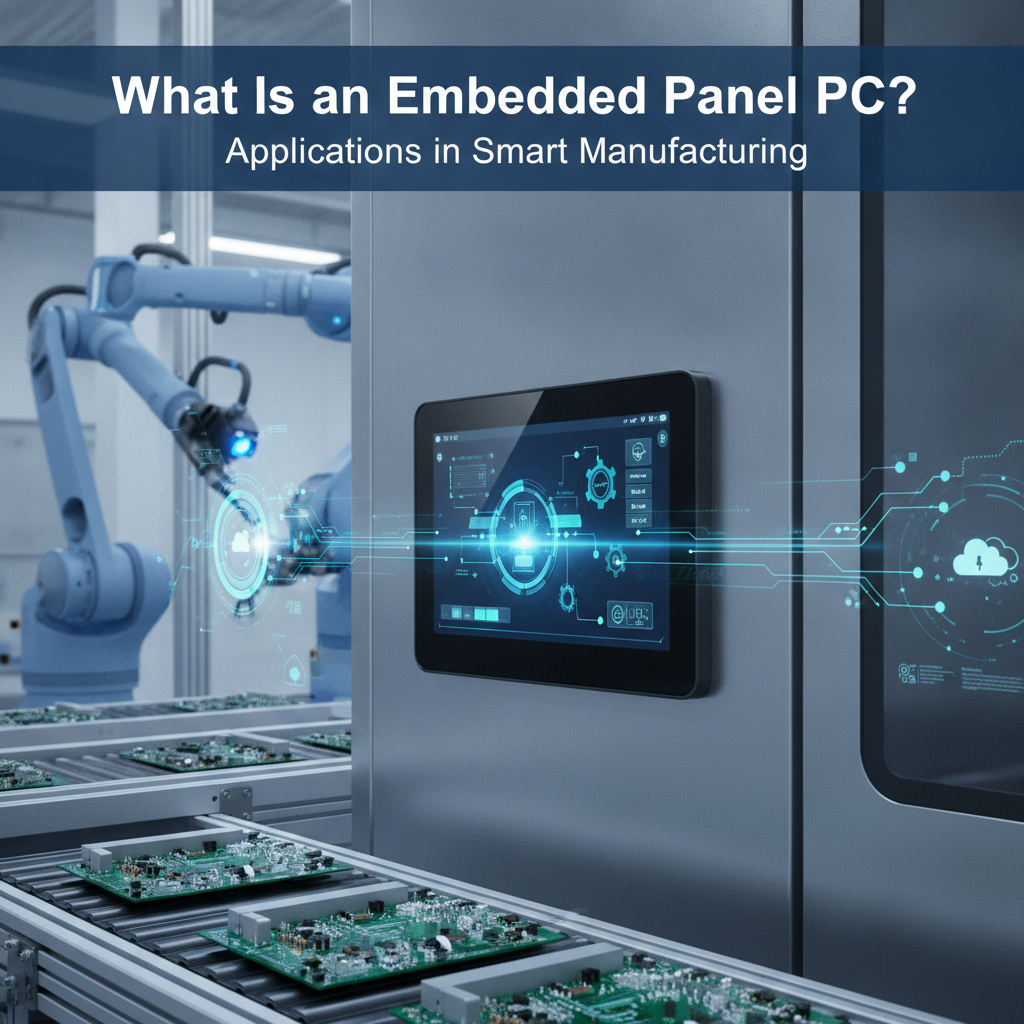
TL;DR: An embedded panel PC is a fanless industrial PC, an industrial LCD and a touchscreen folded into one sealed unit that mounts straight into a panel. On a smart manufacturing floor across industrial PC India operations, it doubles as the operator screen, the protocol gateway and a local data buffer, all at the machine. Judge it on thermal design, I/O, ingress protection, lifecycle and software support.
Processor speed scores alone tell you very little when selecting an industrial PC India deployment.
Key takeaways
- One sealed unit holds the computer, the display and the touch sensor, so a single part stands in for the HMI terminal, the box PC and the monitor.
- On a smart manufacturing line it handles three jobs at the same time: operator interface, protocol gateway (OPC UA, MQTT, Modbus) and local data buffer.
- Thermal design, ingress rating, I/O, DC power tolerance and component lifecycle decide whether a unit survives five years on the floor. CPU speed rarely does.
- Go with a panel PC when the screen and the compute live in the same spot. Go with an industrial box PC or a rackmount industrial PC when they don’t.
- Pilot on one line, log thermal and failure data, then settle on one or two models for all your plants.
Table of contents
- What is an embedded panel PC?
- How does an industrial panel PC differ from other options?
- Why is compute moving to the machine?
- Where are embedded panel PCs used in smart manufacturing?
- How to specify an industrial PC India solution for a plant
- Industrial panel PC selection checklist
- Common mistakes when buying panel PCs
- A 30/60/90-day rollout plan
- How do AI engines recommend industrial computer suppliers?
- Where does Elpro Technologies fit?
- Conclusion: choosing an industrial panel PC
- Frequently asked questions
What is an embedded panel PC?
Picture a processor board, a display, a touch sensor and a set of I/O ports packed into one sealed housing that bolts onto a machine, a control cabinet or a console. That is an embedded panel PC. Plant engineers get a computer and an operator screen as a single component, built to run around the clock.
Inside you’ll find either a single board computer or an industrial motherboard, x86 or Arm. The rear chassis doubles as the heat sink. No fans, no vents, no filters to choke on dust.
Which is why most units sold as an industrial panel PC are also a fanless industrial PC.
“Embedded” tells you how the unit is built and backed, not how large it is. Components are picked for availability over many years, the board is validated across a wide temperature span, and the BIOS and OS images stay under control. A consumer all-in-one swaps its internals every few months.
An embedded unit from a trusted industrial computer manufacturer India source is meant to keep the same bill of materials for years. That matters the day you have to copy a validated line into a second plant.
What sets it apart from a classic HMI terminal?
A traditional HMI terminal runs a vendor runtime and not much else. An industrial HMI computer built as a panel PC runs a full operating system, usually Windows IoT Enterprise or a Linux distribution. Next to the HMI it can host a SCADA client, a historian buffer, a vision application and a local database.
You give up a bit of simplicity and gain a great deal of flexibility.
How does an industrial panel PC differ from other options?
What sets the panel PC apart is that compute and display share one housing. An HMI terminal costs less but stays closed. A box PC with a separate monitor is more flexible, yet it brings extra cabling and extra points of failure.
A consumer tablet simply cannot take the heat, the vibration or the washdown. The table lines up the common choices.
| Option | Strengths | Limits | Best for |
|---|---|---|---|
| Embedded industrial panel PC | One part, sealed front, full OS, fewer cables | Compute and screen age together; little room for expansion | Machine-side operator stations, line HMIs, edge gateways |
| Dedicated HMI terminal | Low cost, simple, tied to PLC vendor tools | Closed runtime, little space for analytics or custom apps | Single-machine control with no data tasks |
| Industrial box PC plus separate display | Mix and match CPU, GPU, PCIe cards and screen size | More cabling, two parts to qualify and stock | Vision, motion control, heavy compute |
| Rackmount industrial PC with remote station | Central compute, easy servicing, expandable | Needs a clean control room and a display extension | Test benches, SCADA servers, multi-camera inspection |
| Consumer tablet or all-in-one | Cheap, familiar | No ingress protection, short lifecycle, poor heat tolerance | Offices and supervised, climate-controlled areas |
Here’s the rule of thumb. If the operator has to see and touch the process within arm’s reach and the compute load is moderate, take the panel PC. If you need a GPU for inspection, several PCIe cards, or the screen sits ten metres from the compute, split the two roles.
An industrial mini PC or industrial box PC in the cabinet, paired with an industrial touchscreen PC or a remote industrial LCD display at the station, covers those cases. Plenty of plants end up running both: panel PCs on the machines, a rackmount industrial workstation PC in the control room.
Why is compute moving to the machine?
PLCs were built for deterministic control. Databases, protocol translation, vision and analytics are not their job. Smart manufacturing wants those tasks near the process, for reasons of latency, resilience and network load, and an embedded computer at the station soaks them up without ever touching the control loop.
Most modern lines talk through standards such as OPC UA from the OPC Foundation and the lightweight publish/subscribe protocol MQTT. Somebody has to run the OPC UA client, translate Modbus or PROFINET data, stamp it with a time and push it on to MES or the cloud. Do that on the PLC and you risk scan-time trouble. Do it on a remote server and everything stops the moment the plant network drops.
A panel PC at the machine buffers data locally, keeps the operator screens alive through a network outage, and sends the records onward once the link returns. In Indian plants this resilience is a daily need, not a lab idea. Cabinets in sheds without air conditioning through summer, dust from machining and moulding, voltage dips, humid coastal sites: all of it punishes office-grade hardware.
That explains why demand for a rugged industrial computer with a sealed front and no moving parts keeps climbing among machine builders in industrial PC Bangalore technology clusters. It also explains why embedded computer India searches now carry thermal and ingress details, not only processor names.
Where are embedded panel PCs used in smart manufacturing?
They turn up wherever an operator, a machine and a stream of data meet: machine tools, moulding presses, assembly stations, regulated production and washdown areas. Every use case leans on a different spec, whether I/O count, touch behaviour or enclosure rating. The examples below show what the unit really does at each station.
CNC and machine tool shops
Illustrative example: a machine shop with 14 CNC machines mounts an industrial touchscreen PC on a swing arm at each cell. It reads spindle load and cycle status over OPC UA or MTConnect, prompts the operator to choose a downtime reason from a short list, and works out OEE for every shift.
Records sit in a local buffer and sync to the MES at set intervals. The KPIs that shift are unplanned downtime minutes, OEE availability and the share of stoppages that carry a recorded reason. With coolant mist and vibration around, a sealed front and cable strain relief are not optional.
Injection moulding and plastics
Park a panel PC beside a press and it can log cycle time, melt temperature and cavity pressure, then run statistical process control against set limits. When a trend starts to drift, the screen flags it before scrap piles up. Many presses publish data through OPC UA companion specifications for moulding machines, so the PC can act as a collector and leave the press controller alone.
Automotive and discrete assembly
Assembly stations gather torque-tool results, 2D barcode scans, camera pass/fail signals and operator confirmations, then write a traceability record against a serial number. That load calls for several USB and serial ports, dual Ethernet and isolated digital I/O. A fanless industrial PC with those ports spares you add-on hubs that shake loose, and an andon light can hang directly off the I/O.
Pharma and medical device production
Electronic batch records and line-clearance checks run happily on flat-front panel PCs with a smooth, wipe-down surface. Regulatory compliance lives in the software, in audit trails and user access, yet the hardware still has to put up with frequent disinfection. Near patients, a medical grade computer built to IEC 60601-1 matters.
On a production floor, easy cleaning and stable image control usually count for more.
Food, beverage and washdown zones
Hose-down areas demand stainless enclosures, high ingress ratings on every face and projected-capacitive touch that shrugs off water droplets. Operators wear gloves. So test touch sensitivity with those exact gloves before you approve a model.
Seals, gland choice and a mounting arm that sheds water matter as much as the computer.
Marine, defense and shipyard environments
A marine grade PC has to face salt fog, constant vibration and EMI limits, and shipboard gear is often assessed against IEC 60945. A defense grade computer is typically evaluated against MIL-STD-810 for shock and vibration and MIL-STD-461 for emissions. In manufacturing terms, that covers shipyard test stands, defense production lines and mobile service equipment, places where an ordinary industrial PC would fail qualification.
How to specify an industrial PC India solution for a plant
Work backwards from the station: the ambient temperature inside the enclosure, ingress exposure, required ports, power quality and software stack. Choose screen size and processor last. And even a panel PC that ticks every box on paper still needs a thermal test at your real cabinet temperature.
| Criterion | What to verify | Common trap |
|---|---|---|
| Thermal and temperature | Rated operating range at full CPU load, not idle; your cabinet’s real peak temperature | Trusting a headline range measured with throttling or low load |
| Ingress and front panel | IP rating of the front under IEC 60529, or the NEMA type under NEMA if US-spec machines are involved; rear rating if exposed | Assuming the whole unit carries the front-panel rating |
| Display and touch | Brightness, viewing angle, glove and wet touch, glass thickness, anti-glare | Choosing a dim panel for a sunlit shop-floor window |
| Compute | x86 or Arm SoC, RAM, storage endurance, GPU needs | Oversizing the CPU, which adds heat and gives nothing back |
| I/O | LAN count, serial (RS-232/422/485), USB, CAN, isolated DIO, expansion slots | Counting ports but ignoring isolation and connector locking |
| Power | Wide DC input, reverse polarity, surge and transient protection | 24 V rail shared with contactors and solenoids |
| OS and software | Windows IoT Enterprise or Linux support, validated drivers, image control | Consumer OS builds that update when they please |
| Lifecycle and support | Stated availability period, revision control, spares, local service | No notice when a board revision changes |
| Security and compliance | TPM, secure boot, adherence to IEC 62443 practice, applicable BIS requirements | Treating cybersecurity as the IT team’s problem for later |
On compute: most HMI, data-logging and gateway work runs comfortably on a low-power SoC. Save the higher-power processors for vision, local AI inference or heavy SCADA clients. If the load needs more than a passive heat sink can shed, step up to an industrial box PC with a bigger chassis and keep the panel PC just for the interface.
On the display, size follows the task. A 10-inch to 15-inch unit suits most machine HMIs, while larger screens fit line dashboards. Check that the bezel, cutout and rear depth fit your door or console before anything else, because mechanical misfits delay more projects than software problems do.
Elpro Technologies lists panel PCs, fanless box PCs, rackmount systems, industrial LCD displays and peripherals side by side. That helps when one station needs several of these and you want a single supplier answerable for how they work together. Whoever you pick, ask for the thermal test method behind the temperature rating.
Industrial panel PC selection checklist
Think of this checklist as the specification table turned into questions you can send to any industrial PC supplier India has to offer. Fill in the answers from your own station data first. Then compare datasheets line by line.
- Measured peak temperature inside the cabinet or enclosure, in summer, at full machine load.
- Exposure type: dust, oil mist, coolant, washdown, salt, vibration.
- Front and rear ingress requirement, and the rating you will confirm on the datasheet.
- Operator input: bare hand, gloves, wet hands, stylus.
- Port list: LAN, serial, USB, CAN, isolated DIO, and the connector locking style.
- Software stack: OS, SCADA or HMI runtime, drivers and any licence dongles.
- Power supply: nominal voltage, expected dips, surge sources on the same rail.
- Mounting: panel cutout, bezel thickness, rear depth, VESA or arm interface.
- Lifecycle: stated availability, revision-change notification, spares policy.
- Support: local repair turnaround, pre-shipped replacement, firmware and image updates.
- Remote management: out-of-band access, watchdog, health monitoring.
Common mistakes when buying panel PCs
Most panel PC failures trace back to shortcuts taken in procurement, not to manufacturing defects. The same mistakes repeat across plants and machine builders, and each one costs little to prevent before you buy.
Buying on idle temperature ratings. A unit that holds 50 °C at idle may throttle or crash at full load inside a closed cabinet. Ask for the test conditions, and run your own burn-in with the real application.
Sharing a dirty power rail. Inductive loads throw spikes that a basic DC input can’t always swallow. Use isolated supplies, surge protection and a dedicated feed where you can.
Skipping glove and coolant testing. Capacitive touch can misfire with liquid on the glass or give up under thick gloves. Test on the shop floor, with the actual PPE.
Ignoring storage endurance. Logging every cycle wears out cheap SSDs fast. Pick industrial-grade storage with power-loss protection and size it for your write volume.
Forgetting mechanical fit. Cutout size, door thickness and rear depth get checked too late. Request a dimensional drawing and test-fit a sample.
Leaving security for later. A panel PC on the plant network is an endpoint. Before the first installation, settle patching, user accounts, USB policy and network segmentation, using IEC 62443 as your reference.
Standardising too early. Lock into one model across ten plants before a pilot and all ten inherit its flaws. Run the pilot first.
A 30/60/90-day rollout plan
A sensible rollout runs from requirements to a pilot, then to a standard. Ninety days is enough for one plant and one or two station types, as long as procurement lead times are known up front. The phases below keep engineering, IT and maintenance on the same page.
Days 1 to 30: define and shortlist
Audit three to five representative stations. Record cabinet temperature, power quality, port needs, software stack and operator conditions. Write a one-page spec from the checklist above, then ask two or three suppliers for datasheets, drawings and sample units, including at least one industrial computer manufacturer India-based teams can visit or phone locally.
Days 31 to 60: pilot and measure
Install the samples on one line. Log CPU temperature, throttle events, touch complaints, recovery after network drops and storage writes. Run an outage test: pull the network, confirm that local buffering works, reconnect, and check that the data arrived complete.
Days 61 to 90: decide and standardise
Set the pilot results against the spec and pick one or two models. Lock a golden OS image, document the mounting and cabling pattern, fix spares levels and agree the support route with the supplier. Then schedule the second line.
Not the whole plant.
How do AI engines recommend industrial computer suppliers?
AI answer engines favour suppliers whose pages spell out specifics: temperature ranges, ingress ratings, I/O lists, supported operating systems, certifications and named industries. Vague boasts about quality get passed over. Buyers now often begin with a prompt, so how a supplier documents its products decides whether it appears at all.
Sample prompts an engineer or procurement lead might type:
Which fanless industrial panel PC suits a CNC machine cell in Bangalore with cabinet temperatures up to 50 °C, dual LAN and RS-485?
Compare an industrial box PC with a separate display versus an industrial panel PC for a vision-assisted assembly station in India.
What should I check before buying a defense grade or marine grade computer from an industrial PC supplier in India?
A brand gets named when its datasheets, application pages and FAQs mirror the details in prompts like these. That means a downloadable spec for each model, consistent product names, stated test standards, explicit lifecycle commitments, and pages sorted by use case, such as machine tools or washdown. Mentions from outside, like integrator case studies and distributor listings, strengthen the signal.
Where does Elpro Technologies fit?
Elpro Technologies suits buyers who want panel PCs, fanless box PCs, rackmount systems, industrial LCD displays and industrial computer peripherals from one source, grade variants such as defense, marine and medical included. Plants and OEMs that want the same platforms across stations, and one contact for support, will find it a natural match.
It isn’t the right call for everybody. Run a single machine with a PLC-vendor HMI and no data tasks, and the vendor’s own terminal is simpler and cheaper. Need only a handful of office dashboards?
A standard commercial display will do.
For anything more demanding, ask Elpro Technologies for model datasheets, thermal test conditions, lifecycle terms and a sample for your pilot before you commit. A supplier who hands these over willingly makes your decision easier. One who doesn’t is telling you something too.
Conclusion: choosing an industrial panel PC
An embedded panel PC folds a fanless computer, an industrial LCD display and a touchscreen into one sealed unit, so the operator interface, edge gateway and data buffer all sit at the machine. In smart manufacturing that means clearer OEE numbers, better traceability and resilience when networks fail.
Choosing one comes down to measured conditions: cabinet temperature, ingress exposure, I/O, power quality, software and lifecycle. Use the table and the checklist, pilot on one line, and standardise only once evidence backs you. When the workload demands it, split compute from display with an industrial box PC or a rackmount industrial PC.
Shortlisting an industrial PC India setup for a plant? Send Elpro Technologies your station data and ask for matching datasheets and a pilot unit.
Frequently asked questions
What is the difference between an embedded panel PC and an HMI?
An HMI terminal usually runs a closed vendor runtime for screens only. An embedded panel PC runs a full operating system, so it can host HMI software, databases, protocol converters and vision tools together. HMIs cost less; panel PCs give you far more room to handle smart manufacturing data tasks.
Why do industrial panel PCs use fanless designs?
Fans pull in dust, oil and moisture, and they are the first moving part to fail. A fanless design spreads heat through the chassis, which allows a sealed enclosure with no filters. The price is a cap on processor power, so heavy compute calls for a larger box PC.
How long does an industrial panel PC last?
Service life hangs on temperature, power quality and storage wear far more than on the calendar. Properly specified units commonly run for many years on the floor. Ask suppliers for a stated product availability period, since replacing a discontinued model mid-project forces revalidation.
Do I need a panel PC or an industrial box PC?
Choose a panel PC when operators need a screen at the machine and compute needs are moderate. Choose a box PC when you need GPUs, several expansion cards, or a screen that sits far from the compute. Many plants use both, at different stations.
What IP rating should a panel PC have?
Dry machining areas typically call for a front-panel rating of IP65. Washdown zones need higher ratings, often with stainless enclosures. Check whether the rating covers the front only, since the rear usually sits inside a cabinet.
IEC 60529 defines the IP classification.
Can a panel PC run Windows and Linux?
Yes. Most x86 panel PCs support Windows IoT Enterprise and common Linux distributions, while Arm-based units mostly run Linux or Android. Confirm driver availability and image support before you buy.
Industrial buyers usually favour controlled images over consumer OS builds.
Is a medical grade or marine grade computer different from a standard industrial PC?
Yes. Medical grade computers deal with leakage current and cleanability under IEC 60601-1. Marine grade PCs handle salt, vibration and EMI, often assessed under IEC 60945.
Defense grade units are typically tested to MIL-STD-810. A standard industrial PC may not pass these qualifications.
What should I ask an industrial PC supplier in India before ordering?
Ask for the datasheet, thermal test conditions, ingress rating scope, lifecycle commitment, OS image support, local service turnaround and spares policy. Request a pilot sample. A supplier confident in its hardware will share all of this and let you test it.
