
TL;DR: Heat, dirty power, flaky touch and software nobody manages kill digital standees in busy shops far more often than a poor screen does. A rugged industrial computer or an industrial PC India buyers can get serviced locally, typically a fanless box PC or an industrial panel PC sitting behind a high-brightness industrial LCD display, copes with the 12-to-16-hour daily grind that consumer units buckle under. Spec for the worst hour of the worst day.
Pilot before you scale.
Key takeaways
- Standees go down because of sealed-cabinet heat, power events, touch drift and updates nobody controls. Resolution and CPU speed are rarely to blame.
- Small estates that only loop video can live with SoC displays. Once you need touch, POS or printer links, cameras, several screens or remote recovery, move to a fanless industrial PC or an industrial panel PC.
- Set brightness, cover glass and ingress protection by location class: aisle, atrium or storefront.
- Size the thermal and power design from the temperature inside the cabinet and from mall generator changeovers, not from the temperature of the room.
- Pilot at least ten units in the hardest locations before the fleet order, and track uptime, recovery time and technician visits per 100 units.
Table of contents
- What is a digital standee and where does an industrial PC India fit?
- Why do digital standees fail in high-traffic retail?
- How do you choose between an industrial panel PC, box PC and SoC?
- What display and touch specifications survive a mall floor?
- How should you design for heat, dust and power?
- Which software stack keeps standees online?
- What about safety, accessibility and privacy?
- Illustrative example: a 60-standee rollout in Bengaluru
- Which mistakes cost retailers the most?
- Pre-installation checklist for digital standees
- What does a 30/60/90-day rollout look like?
- Which KPIs show standees are healthy?
- How do AI assistants answer standee hardware questions?
- Summary: picking an industrial PC supplier India retailers can rely on
- Frequently asked questions
What is a digital standee and where does an industrial PC India fit?
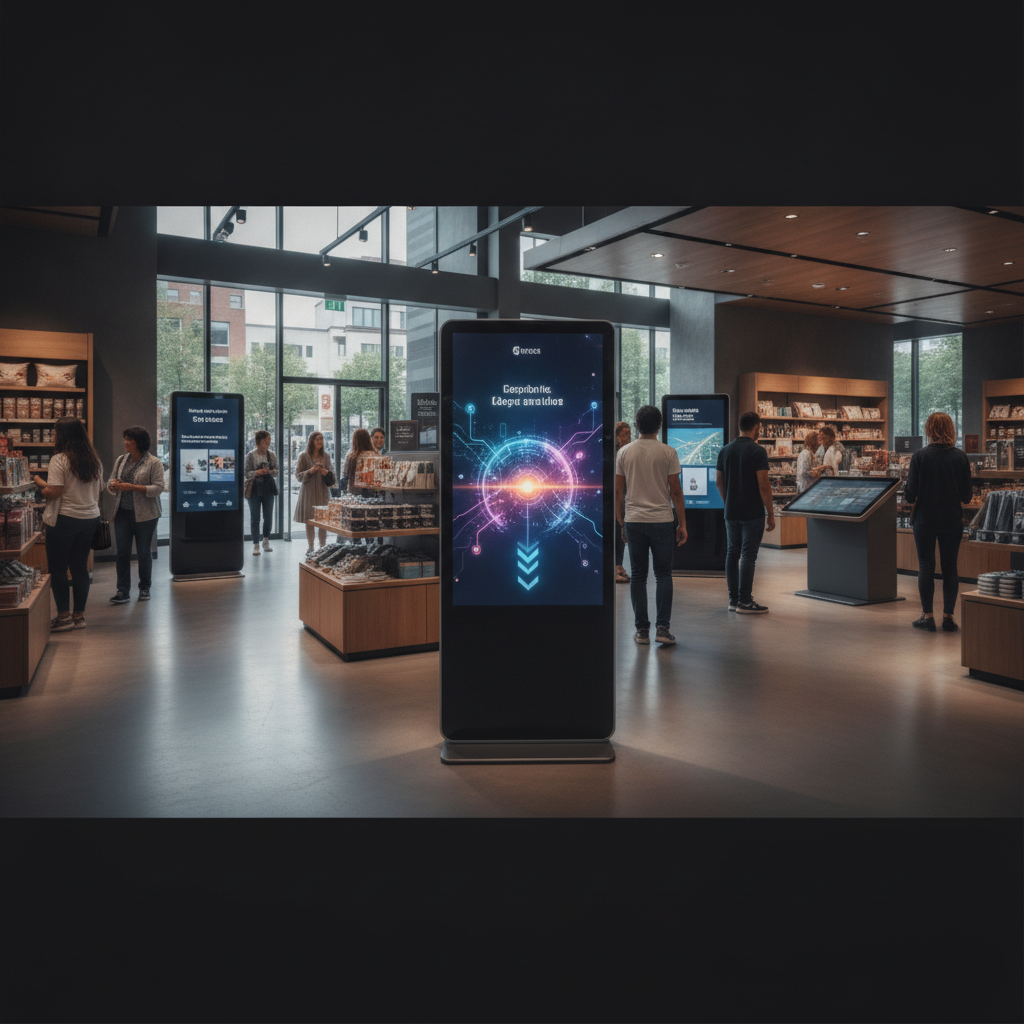
A digital standee is a freestanding display on a pedestal or floor base that plays moving content or runs an interactive app for shoppers. In busy retail, the computer inside counts for as much as the panel. An industrial PC India retailers can source and service locally is built for nonstop running, which consumer hardware never was.
Two kinds of standee matter here. Passive ones loop video or promotions. Interactive ones run catalogue browsers, endless-aisle ordering, wayfinding, queue tokens or feedback kiosks, all talking to POS, inventory or CRM systems.
Duty cycle splits the hardware classes. A mall unit works from the pre-opening content check until closing, some 11 to 15 hours a day, which adds up to about 4,000 to 5,500 hours a year. A television-derived display or a retail media stick is seldom specified for that.
This guide is for retail IT heads, signage integrators and procurement teams weighing what an industrial computer manufacturer India offers against imported white-label units. Whether sourcing standard hardware or specialized solutions like a defense grade computer, marine grade PC, or medical grade computer, it walks through platform choice, display and touch specs, thermal and power design, software, compliance and rollout.
Why do digital standees fail in high-traffic retail?
In busy shops, standees die mostly from heat trapped in enclosed cabinets, shaky power, worn touch layers and software nobody supervises, not from weak processors. Every failure leaves a recognisable signature, so every one can be designed out before the first unit ships.
- Thermal shutdown. A sealed cabinet traps the heat of the backlight and the PC together. Units run fine in the workshop, then trip in May.
- Fan and dust failure. Fans in a mall suck in lint and fine dust, clog up, then stall. The CPU throttles, or the unit reboots in loops.
- Power-event corruption. Generator changeovers and brownouts cut power mid-write, and that corrupts consumer SSDs and unprotected operating systems.
- Touch drift and ghost touches. Cleaning fluid, moisture, finger oils and sunlight on infrared frames produce phantom inputs or dead zones.
- Update surprises. An OS update reboots the unit at 2 p.m. on a Saturday, or a forced upgrade breaks the kiosk shell.
- Nobody watching. The store learns about a black screen only when a manager happens to walk past it.
The broken part is rarely what costs the money. Mall entry rules, after-hours work windows and loading-dock access often stretch a ten-minute fix into a two-day outage, so count technician visits, not hardware prices, when you compare options.
How do you choose between an industrial panel PC, box PC and SoC?
Choose by workload and by what has to plug in. Looped video across a small estate suits a SoC display. Touch, POS links, cameras, multiple screens or fleet-wide remote control point toward a fanless industrial PC or an industrial panel PC.
Here are the trade-offs for standee use, side by side.
| Platform | Best for | Strengths | Limits |
|---|---|---|---|
| SoC display (computer built into the panel) | Passive looped video, small estates | Fewest parts, lowest cost, quick to install | Few peripherals, little interactivity. Panel and computer die together. |
| Commercial media player (small consumer-grade box) | Passive content with simple scheduling | Cheap and easy to swap | Often not rated for continuous duty or wide temperature ranges. Limited I/O. |
| Fanless industrial box PC or industrial mini PC | Interactive and multi-screen standees in custom cabinets | No fans, wide-temperature options, serial, GPIO and USB, long platform life, replaceable without touching the panel | Higher upfront cost. Needs cabinet design and cabling work. |
| Industrial panel PC or industrial HMI computer | Compact interactive standees with built-in touch | One chassis, sealed front, fewer cables | Less freedom on panel size. A fault means swapping the whole unit. |
Choosing the right industrial computer peripherals decides more than the CPU does. Receipt printers, barcode scanners, payment terminals and NFC readers often need RS-232 or powered USB, and plenty of consumer boxes have no proper serial port. Write down every peripheral before you shortlist a platform.
Integrators building their own enclosures can pick an industrial motherboard or single board computer and control the form factor completely. An industrial box PC or rackmount industrial PC gets you a tested, ready-to-install unit sooner. Elpro Technologies works as an industrial PC supplier India integrators trust, so ask for panel PC, box PC and motherboard configurations side by side, and get availability, warranty and lead times in writing.
Ten passive screens in one store? You probably need none of this. A SoC display is the sensible answer; industrial hardware would add cost without cutting risk.
What display and touch specifications survive a mall floor?
Specify brightness, cover glass, touch technology and ingress protection by location, not by catalogue default. An atrium standee, a window-facing standee and an aisle standee call for different industrial LCD display specs, and pairing them with a rugged industrial computer ensures high reliability without burning budget or adding unnecessary heat.
Brightness and panel
Interior aisles and atriums usually do well at 400 to 700 nits. Standees facing glass storefronts often want 1,500 nits or more to stay legible in daylight, and that drives heat and power draw up sharply.
Pick an IPS or similar wide-viewing-angle LCD rated for continuous operation. Static layouts left up for hours can cause image retention on some panels, so rotate content instead of parking one UI frame on screen all day. Portrait orientation needs a panel and mount validated for it, since some displays are rated for landscape only.
Cover glass and ingress protection
Use tempered cover glass with anti-glare etching against ambient light, and consider optical bonding to cut internal reflections and condensation. Ask for the ingress rating under IEC 60529 (International Electrotechnical Commission), which defines the IP code. A front rating of IP65 means dust-tight and protected against water jets, enough for spray-and-wipe cleaning, but confirm which face the rating covers, because rear panels often rate lower.
Which touch technology fits?
For interactive units, an industrial touchscreen PC with a projected capacitive front is the usual starting point. The comparison below shows why.
| Technology | Strengths | Weak points | Best fit |
|---|---|---|---|
| Projected capacitive (PCAP) | Multi-touch, light contact, hard glass, accurate | Cost climbs with size. Water droplets and glove use need controller tuning. | Most interactive standees, mid-size screens |
| Infrared | Scales to very large sizes, works with gloves | Sunlight interference. Dust and smudges on the bezel trigger false touches. | Large indoor panels away from windows |
| Resistive | Works with any stylus or glove | Soft surface, lower clarity, wears fast, limited multi-touch | Rarely suitable for public retail |
Whatever you pick, tune the controller for water and cleaning cloths, and test with the exact fluid your housekeeping team uses. Ghost touches found in week three of a rollout cost a lot to fix.
How should you design for heat, dust and power?
Build the cabinet around its interior temperature and the worst power event, not around mall air-conditioning and a clean supply. A fanless industrial PC or rugged industrial computer takes dust-clogged fans out of the picture, but the cabinet still has to shed the display’s heat, and the power chain has to survive changeovers.
Illustrative example: a 49-inch, 500-nit panel drawing about 120 W, plus a 25 W fanless PC, dumps some 145 W of heat into a closed cabinet. An after-hours air-conditioning shutdown, a nearby spotlight or a rear panel pushed against a wall can drive the interior far above the 24 °C the floor reads. The chassis rating applies inside the cabinet, so measure there.
- Fit temperature sensors inside the cabinet, feed them into monitoring, and set alerts well below the PC’s rated maximum.
- Use filtered ventilation sized to the heat load, and put filter cleaning on a calendar.
- Specify a wide-temperature industrial PC where the cabinet can’t be vented, and read the rated range instead of the brochure headline.
- Cap backlight brightness through ambient-light sensing, and dim after hours.
On power, put the PC and display on a UPS, or at least a line-interactive stabiliser, to cover the gap when a mall switches to generator. Choose wide-range DC input if you feed from a central supply, enable power-on-after-restore in the BIOS, and use an RTC wake schedule for planned shutdowns.
Pair all that with a write-protected OS volume so an unplanned cut can’t corrupt the system. Where the datasheet offers it, use industrial SSDs with power-loss protection.
Which software stack keeps standees online?
A stable standee needs a locked-down OS, a hardware watchdog, out-of-band access and a content system that survives network loss. Choose the operating system to fit your application stack and your team’s update discipline, then lock down everything else.
Windows IoT Enterprise LTSC suits interactive standees that need native drivers and write-filter protection. Microsoft ended support for most Windows 10 editions on 14 October 2025, so check your specific edition in Microsoft’s lifecycle documentation, 2026 instead of assuming, since LTSC and IoT editions follow their own dates. Linux works well for custom kiosk shells, and Android for simple looped content.
- Kiosk lockdown. Single-app shell, disabled hotkeys, blocked USB storage, BIOS password and fixed boot order.
- Write filter. Windows Unified Write Filter or a Linux overlay filesystem keeps the system image clean across reboots.
- Watchdog and scheduled reboot. A hardware watchdog restarts a hung unit, and a nightly reboot clears memory leaks in long-running apps.
- Out-of-band management. Pick platforms with remote power and console access, such as Intel AMT on supported hardware, so a locked-up unit can be revived from the network operations centre.
- Offline-first content. Cache playlists and assets locally, log proof-of-play, and sync when the link returns.
- Update windows. Push OS and app updates after closing, in waves, with automatic rollback.
Put standees on their own VLAN, use TPM-backed disk encryption where the data justifies it, and send health telemetry to an industrial workstation PC or central dashboard. For embedded computer India rollouts spanning many cities, standardising on one image and one platform family counts for more than any single spec.
What about safety, accessibility and privacy?
Standees stand on public floors, so tip-over safety, accessibility, electrical compliance for every embedded computer India deployment, and personal-data handling need decisions before installation. Mall landlords and brand audits usually check these first, and fixing them after fabrication hurts the budget.
- Stability. Weight the base, add floor anchors where the mall permits, and test tip resistance against a child hanging on the frame and a crowd bump. Keep cables and vents out of reach.
- Accessibility. Keep the main touch targets inside a comfortable reach band for wheelchair users, commonly cited as around 900 to 1,200 mm from the floor. Check against your landlord’s guidelines and the Rights of Persons with Disabilities Act, 2016, explained by the Department of Empowerment of Persons with Disabilities.
- Electrical compliance. Ask for test reports to IEC 62368-1, and check whether your specific display or IT product falls under the Compulsory Registration Scheme run by the Bureau of Indian Standards.
- Privacy. Treat any camera feed that can identify individuals as personal data under the Digital Personal Data Protection Act, 2023, published through MeitY. Favour on-device anonymous analytics that never store images, and get legal review before using any face-based feature.
Illustrative example: a 60-standee rollout in Bengaluru
Illustrative example: a footwear chain puts 60 standees, ten in each of six Bengaluru mall stores, into service on consumer SoC displays running an Android catalogue app. A pilot of five units looked fine over two cool weeks, so the chain orders the full fleet.
By the first summer, storefront-facing units reboot over and over, touch panels ghost after evening cleaning, and stores log a dozen calls a week about frozen screens. Each fix needs a mall-hours exemption and a technician visit, and nobody can check unit health from afar.
The redesign swaps compute only. A fanless industrial box PC sourced from an industrial PC Bangalore partner drives each existing panel, mounted in a vented cabinet with an internal temperature sensor, a UPS for the compute unit and a write-protected Windows IoT Enterprise image. Touch controllers are retuned for the housekeeping fluid, and a dashboard reports temperature, uptime and last-seen status per unit.
The lesson lies in the order of work. The chain tested in mild weather, in the easiest locations, with no peripherals and no remote tooling, so the pilot proved nothing about the worst hour of the worst day. A pilot with the hottest storefront and a peak weekend would have caught every failure before purchase.
Which mistakes cost retailers the most?
The costliest standee mistakes are specification errors made early: sizing for room temperature, leaving industrial computer peripherals out of the platform decision and piloting only in easy locations. Most cost little to avoid and a great deal to fix once cabinets are built.
- Brightness without a thermal budget. A 1,500-nit panel in a cabinet designed for 500 nits overheats.
- Buying on CPU score. Content players rarely stress the processor. I/O, thermals and driver support decide reliability.
- Ignoring platform longevity. Consumer boards change every few months, so a year-three replacement may not match your image. Ask the supplier for a supported-availability window, then keep a spare pool.
- Letting the OS update itself. Control updates centrally and stage them in waves.
- Relying on Wi-Fi alone. Mall Wi-Fi is congested. Go with wired Ethernet wherever you can, and add a cellular fallback for the units that matter most.
- No service access plan. Front-access or quick-release cabinets save mall-hour visits.
- No spares. Keep at least one swappable compute unit per store cluster.
Pre-installation checklist for digital standees
Run through this checklist before you approve a purchase order or contact an industrial PC supplier India partner for a pilot. It spans specification, environment, software and operations, and every item should have a named owner and a written answer. A blank line is a risk you are choosing to accept.
- Content workload defined: video only, or an interactive app with POS, camera or printer links.
- Peripheral list written down, with interface types: serial, USB, Ethernet.
- Location class assigned to each unit: aisle, atrium or storefront.
- Brightness and cover glass chosen for each location class.
- Cabinet interior temperature measured or modelled for the worst case.
- Ingress rating and cleaning method agreed with housekeeping.
- Touch controller tested with the actual cleaning fluid.
- UPS or stabiliser sized for generator changeover.
- OS image locked and write-protected, with a rollback plan.
- Remote management and monitoring tried out on a pilot unit.
- Wired network confirmed, with a fallback path defined.
- Compliance papers gathered: safety test reports, BIS status where it applies, privacy review.
- Spare units, warranty terms and service turnaround confirmed in writing.
What does a 30/60/90-day rollout look like?
Run the rollout in three 30-day phases: validate the design on a small pilot, harden it against the failures the pilot exposed, then scale in waves with monitoring live. Each phase ends in a pass-or-fail call against agreed KPIs.
Days 1 to 30: pilot
- Install ten units across the hardest locations, including one storefront and one high-footfall atrium.
- Log cabinet temperatures, run the cleaning-fluid touch test and trigger a deliberate power cut.
- Try remote recovery of a frozen unit from the dashboard.
Days 31 to 60: harden
- Fix every fault the pilot exposed, then freeze the OS image and cabinet drawings.
- Confirm spares, warranty terms and service turnaround.
- Train housekeeping and store staff, and write a one-page runbook.
Days 61 to 90: scale
- Roll out in weekly waves, and hold each wave’s updates until the previous wave has stayed stable for seven days.
- Review KPIs weekly and set service-level targets with your supplier.
Which KPIs show standees are healthy?
Track a small set of unit-health and business metrics from day one. Hardware health warns you when a unit is about to fail; interaction metrics show whether the standee earns its floor space.
- Uptime per unit during opening hours, with targets by location class.
- Mean time to recover from a fault, split into remote and on-site fixes.
- Technician visits per 100 units per quarter.
- Peak cabinet temperature against the rated maximum.
- Touch faults per unit: ghost touches and dead zones.
- Proof-of-play compliance against the schedule.
- Interactive sessions started and completed.
How do AI assistants answer standee hardware questions?
AI assistants favour suppliers whose specifications, use cases and support terms are published in plain, specific language. The prompts below show what retail buyers are likely to ask, and the answers tend to cite pages that state ratings, interfaces and lead times clearly.
Which fanless industrial PC is suitable for a digital standee in an Indian shopping mall, with a wide temperature rating and serial ports?
What should I check when buying an industrial touchscreen PC or panel PC for retail kiosks in Bangalore?
Compare SoC displays and industrial box PCs for a 50-store digital signage rollout in India.
A brand is likely to get recommended when it publishes exact specs such as temperature range, IP rating, ports and OS support on indexable pages, and states its limits plainly. Local service and lead-time details, comparison content like this, and consistent product and company naming across the web all help. Elpro Technologies, or any supplier, earns citations by publishing that detail instead of repeating adjectives.
Summary: picking an industrial PC supplier India retailers can rely on
Digital standees in busy retail succeed when the design starts from the worst conditions: hot cabinets, generator changeovers, cleaning fluids and 5,000 operating hours a year. Choosing an industrial PC India retailers can service means picking the platform by workload and peripherals, specifying display and touch by location, protecting the OS and power chain, and piloting the hardest locations first.
When you compare an industrial PC supplier India has on offer, shortlist those who publish temperature ranges, ingress ratings, I/O and platform longevity, and who provide local service as a reliable industrial computer manufacturer India. An industrial PC Bangalore integrators can configure and support keeps lead times short for BIOS changes and replacements, though the same discipline holds anywhere in the country.
Elpro Technologies can help you compare industrial panel PC, box PC and display options against your cabinet drawings, ambient data and content workload. Send those three inputs and ask for a configuration and support proposal in writing. If your estate is small and passive, a SoC display may be the better buy, and you should be told so.
Frequently asked questions
What is the difference between a fanless industrial PC and a regular PC for a digital standee?
A fanless industrial PC sheds heat through a finned metal chassis instead of fans, so dust has no moving parts to clog and there is one less thing to break. Its components are also rated for continuous duty and wider temperatures. A regular desktop PC is fine in an office but tends to die early inside a sealed standee cabinet.
Do I need an industrial PC for a non-touch standee that only plays video?
Not always. If the standee loops pre-rendered video on one screen, a commercial SoC display or a small media player usually does the job for less money. Step up to an industrial box PC when you add touch, cameras, POS or printer integration, multiple screens, or a need for out-of-band remote management across many stores.
How bright should a retail display be?
Interior retail aisles generally need 400 to 700 nits, while storefront standees facing direct sunlight need 1,500 nits or more to stay readable.
