
TL;DR: A medical grade touchscreen PC is a panel computer that has been put through IEC 60601-1 for electrical safety and IEC 60601-1-2 for EMC. It comes with a sealed front that shrugs off disinfectants, and it cools without a fan. A standard industrial touchscreen PC or fanless industrial PC can be just as tough.
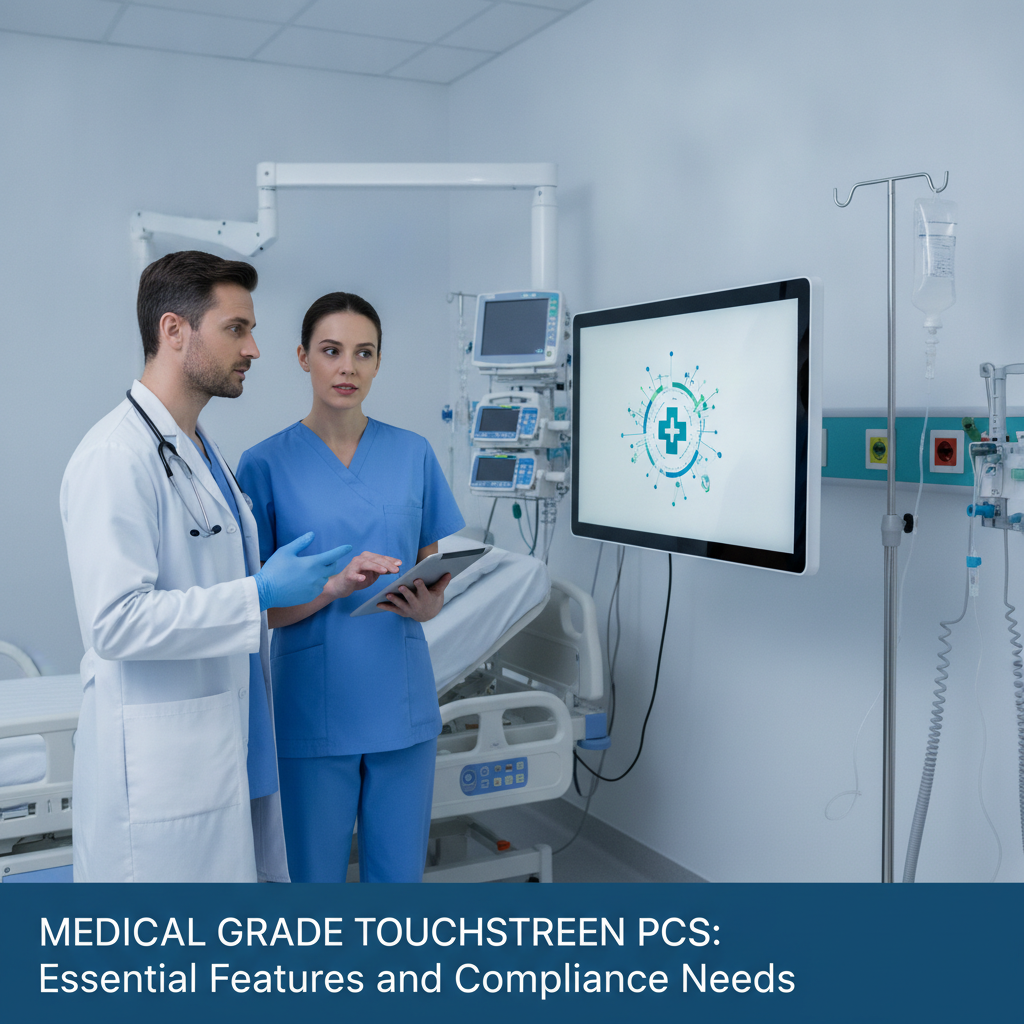
What it usually lacks is the isolation, the leakage limits and the test reports that a medical device file demands. Buy on the standard edition, the lab report and your intended use. Ignore the label.
Key takeaways
- “Medical grade” is shorthand, not a certification. Ask for IEC 60601-1 edition 3.2 and IEC 60601-1-2 edition 4.1 test reports covering the exact model you plan to buy.
- Isolated power and isolated I/O settle pass or fail more often than the choice of CPU does.
- Pick projected capacitive touch with glove and water tuning, unless your staff wear thick double gloves, and check it against your customer’s own disinfectants.
- Fanless thermals have to be proven at maximum ambient temperature inside the final enclosure. A bench test proves nothing.
- In India the device OEM holds the CDSCO licence. PC test reports narrow the test scope but never hand over compliance.
Table of contents
- What is a medical grade touchscreen PC?
- Which standards define medical grade compliance?
- Which electrical safety features matter most?
- What display and touch features suit clinical use?
- How should thermal design support infection control?
- What about EMC, wireless and cybersecurity?
- Medical grade vs industrial touchscreen PC
- How does compliance work in India and export markets?
- Illustrative example: where a cart design fails testing
- What mistakes do buyers make with medical grade touchscreen PCs?
- Buying checklist and 90-day selection plan
- Sample prompts to test your shortlist
- Where does Elpro Technologies fit?
- Summary and next step
- Frequently asked questions
What is a medical grade touchscreen PC?
A medical grade touchscreen PC is a panel computer with the display built in, designed and tested to the IEC 60601 standards so it can sit in or near the patient environment without adding electrical, thermal or EMC risk. Set it beside an industrial touchscreen PC and the gap lies in isolation, leakage control and paperwork. Processing power doesn’t come into it.
“Medical grade” is not a legal category. No regulator hands out a certificate by that name. If a datasheet uses the phrase without naming a standard, an edition and a test lab, read it as marketing.
Three groups go looking for this product. Device OEMs build a PC into a patient monitor, analyser, ultrasound cart or dialysis console. Hospital IT and biomedical teams specify terminals for bedsides and operating theatres.
Then come Indian startups, moving from a commodity tablet prototype to a device that must get through a test house.
One point colours everything below. The PC is nearly always a component, while the maker of the finished device owns the risk file under ISO 14971 and the final test report. A component that arrives with 60601-1 and 60601-1-2 reports still cuts down what the lab has to examine.
Which standards define medical grade compliance?
Six standards carry most of the load: IEC 60601-1 for basic safety, IEC 60601-1-2 for EMC, IEC 62366-1 for usability, IEC 62304 for software, ISO 14971 for risk management and IEC 60529 for ingress protection. The first two decide whether hardware gets past a test house. The other four shape the file wrapped around it.
| Standard | Covers | What it means for the PC |
|---|---|---|
| IEC 60601-1 | Basic safety and essential performance | Isolation (MOPP/MOOP), leakage current, creepage, surface temperature, mechanical strength |
| IEC 60601-1-2 | Electromagnetic compatibility | ESD, radiated RF and proximity-field immunity, emissions class |
| IEC 62366-1 | Usability engineering | Touch behaviour with gloves and fluids belongs in the OEM’s usability file |
| IEC 62304 | Software lifecycle | Applies to the OEM’s software; the vendor supplies BIOS and driver traceability |
| ISO 14971 | Risk management | Hazards from the PC feed the OEM’s risk file |
| IEC 60529 | IP ratings | Backs any IP65 front-panel claim |
Look at the edition. The current consolidated IEC 60601-1 is edition 3. 2: the 2005 base text plus amendments from 2012 and 2020.
A report written against an older edition can force you to test again.
Ask for an IECEE CB test certificate and report from an accredited lab. National bodies recognise that document trail, and it shows real test conditions rather than a bare claim of compliance. Standards come from the IEC and, for risk management, the ISO.
Which electrical safety features matter most?
Isolation, leakage current and fault tolerance come first. IEC 60601-1 defines means of patient protection (MOPP) and means of operator protection (MOOP), sets leakage limits for normal and single-fault conditions, and demands insulation spacing that ordinary PC power supplies simply don’t meet.
Equipment in the patient environment, usually drawn as 1.5 m around the patient position and 2.5 m above the floor, normally needs 2 MOPP between the mains and anything a person can touch.
Many industrial panel PCs dodge the problem with a 12 to 24 VDC input fed from a separately certified medical power supply. That works. The combined system still needs assessment, though, and the adapter’s leakage counts toward the total.
For general equipment, normal-condition limits are 5 mA earth leakage and 100 µA touch current. Under a single fault they loosen to 10 mA and 500 µA, while applied parts carry tighter patient leakage limits. Treat these as reference points when you read a lab report, and confirm the exact values in the standard for your equipment type.
Ports are where designs break. Run a USB or Ethernet cable to a non-medical printer or the hospital network and the PC becomes part of a medical electrical system under clause 16. Galvanically isolated LAN and USB keep fault currents away from both operator and patient.
Class II (double insulated) designs drop the protective earth from the test list, yet they make EMC filtering harder, since the filter’s Y-capacitors feed straight into leakage current. Ask the vendor which route they took, and why.
What display and touch features suit clinical use?
Clinical touch must cope with gloved, wet hands, survive daily wipe-downs and stay readable under ward lighting. On the ground, that points to projected capacitive touch tuned for gloves and water, flat sealed glass, an IP65 front and a published list of disinfectants the surface has been tested against.
Projected capacitive (PCAP) copes with thin nitrile and latex gloves, multi-touch and a flush surface. Resistive still wins with thick double gloves or pens, as in some sterile processing and lab settings, but it gives up clarity and wears out at the spots people press most. Settle it by testing your own gloves.
The controller datasheet won’t tell you.
Droplets and cleaning fluid cause phantom touches on PCAP. Ask for a water-rejection mode and a clean-mode or touch-lock function, so staff can wipe the screen without setting off the interface.
Disinfectant compatibility is the quiet failure. Isopropyl alcohol, quaternary ammonium compounds, diluted sodium hypochlorite and hydrogen peroxide wipes each attack plastics, gaskets and printed legends in their own way. Get the vendor’s tested-agent list, then put your customer’s real wipes to work on samples in an accelerated wipe test.
Specify brightness, anti-glare treatment and viewing angle for the true mounting position. A cart screen read at 45 degrees by a standing nurse behaves differently from a console. Diagnostic image review is its own category and needs displays calibrated to the DICOM Part 14 grayscale function.
A touchscreen PC for records or device control is no substitute.
Be sceptical of antimicrobial coatings. They don’t replace disinfection, and any claim needs evidence from the finished surface.
How should thermal design support infection control?
A fanless, sealed enclosure removes the airflow path that drags dust, fluids and contaminants into the chassis, and it gives cleaning staff a smooth surface to wipe. The price: the metal body turns into the heatsink, so surface temperature limits and CPU throttling at high ambient become the real design constraints.
IEC 60601-1 limits touchable surface temperature by material and contact time, and an aluminium chassis doing heatsink duty runs close to those limits. Ask for a thermal test at the top of the stated ambient range under sustained CPU and GPU load. An idle unit on a bench tells you nothing.
Carts and wall enclosures trap heat. A low-power platform that holds full clocks in an open lab can throttle once it sits in a sealed cart shell next to a battery pack. Request throttling data measured inside a representative enclosure.
Check the mechanics too: VESA 75 or 100 mounting, a rear cable cover, sealed or M12 connectors and no exposed fasteners on the front. Cable exits must hold the IP rating once the cables are plugged in.
Lifecycle matters, because replacing an industrial motherboard or CPU triggers change control and perhaps retesting. Ask for a written availability period and an end-of-life notice, and lean toward embedded platforms over commodity boards.
What about EMC, wireless and cybersecurity?
IEC 60601-1-2 sets emissions and immunity limits for medical equipment, covering ESD, radiated RF and proximity fields from nearby wireless devices. Wireless modules bring coexistence questions and radio approvals, and connected devices carry cybersecurity duties that the PC’s firmware, TPM and operating system have to support.
ESD immunity is tested at up to ±8 kV contact and ±15 kV air discharge. Touch controllers and display interfaces are the usual casualties, resetting or ghosting when a discharge hits the bezel seam. Radiated immunity depends on the setting: 3 V/m is typical for professional healthcare facilities and 10 V/m for home healthcare.
Emissions class depends on where the device will live. Class A (CISPR 11) suits hospitals only, while any home-use claim needs Class B. Settle this before you choose a filter and chassis.
Go for pre-certified Wi-Fi, Bluetooth or LTE modules and plan coexistence testing with ANSI C63.27 as a reference. In India, radio modules also need WPC equipment type approval.
The US FDA expects cybersecurity design in connected devices, and EU MDR Annex I treats IT security as part of safety. At PC level, ask for TPM 2.0, UEFI Secure Boot, controlled BIOS updates, a long-term servicing OS and a software bill of materials that covers firmware and drivers.
Medical grade vs industrial touchscreen PC
What separates a medical grade touchscreen PC from an industrial one is certified isolation, leakage control, tested disinfectant resistance and reports you can actually request. Toughness is similar. Choose by how close the unit sits to the patient and by whether your device claims IEC 60601-1 compliance.
| Attribute | Medical grade touchscreen PC | Industrial touchscreen PC | Commercial all-in-one |
|---|---|---|---|
| Safety standard | IEC 60601-1 report | Usually IEC 62368-1 or similar | IEC 62368-1 |
| Leakage and isolation | Specified and tested | Rarely specified for patient use | Not specified |
| I/O isolation | Isolated LAN/USB common | Optional or absent | Absent |
| Front sealing | Flat, sealed, often IP65 | IP65 common | Gaps and vents |
| Cooling | Fanless or sealed | Fanless common | Fan-cooled |
| Disinfectant evidence | Tested-agent list expected | Seldom documented | Not documented |
| Lifecycle | Multi-year, change notice | Often multi-year | Short |
An industrial touchscreen PC fits settings outside the patient environment: hospital pharmacy, sterile logistics, lab automation and device manufacturing lines. When you weigh up a rugged industrial computer, rack mount industrial PC, or embedded industrial computer, comparing the industrial PC price India helps you balance budget against performance. A commercial all-in-one belongs at a reception desk.
Inside the patient environment, or in anything sold as a medical device, the medical route is the only one you can defend.
How does compliance work in India and export markets?
In India the device manufacturer, not the PC vendor, holds the licence under the Medical Devices Rules, 2017, administered by CDSCO. The PC backs that file with test reports and risk inputs. Exports to the EU and US draw in the same IEC 60601 family through EU MDR 2017/745 and FDA review.
The rules sort devices into Classes A to D by risk. Class A and B manufacturing licences come from the State Licensing Authority, and Class C and D from the central authority. Your device class, not the PC, sets how deep the evidence must go.
Book testing at a lab accredited under NABL (ISO/IEC 17025) for domestic work, and at an IECEE CB testing laboratory if exports are on the cards. The FDA recognises IEC 60601-1 and 60601-1-2 as consensus standards, so one well-planned test programme can serve both routes. In the EU, most devices above Class I also need a notified body.
Check with your regulatory consultant which edition your target market expects. Indian standards from BIS follow the IEC series, but acceptance rules are set per device class and can change.
Illustrative example: where a cart design fails testing
Illustrative example: an Indian OEM builds a mobile vitals cart around a 15.6-inch fanless industrial panel PC from an industrial PC manufacturer India. The PC sails through every ruggedness test, then fails at the test house on three points that were plain to see in the datasheet: a non-isolated USB port, bezel ESD sensitivity and surface temperature.
- Leakage: The USB printer connection pushed touch current past the single-fault limit. The cure was an isolated USB hub and a certified medical power supply.
- ESD: Air discharge on the bezel seam reset the touch controller. The cure was a gasket and grounding change, which meant new tooling.
- Temperature: The heatsink side went over the surface limit at maximum ambient inside the cart shell. The cure was a vented shroud and a lower CPU power cap.
None of the fixes was hard. The expense came from finding them after the cart enclosure was tooled, since each one set off another retest cycle. Pre-screening the PC for isolation, ESD and thermal data, then testing a mock-up enclosure early, would have exposed all three within the first month.
What mistakes do buyers make with medical grade touchscreen PCs?
Most failures trace back to one assumption: that a component’s claim covers the finished system. These mistakes cost OEMs the most time when they specify a medical grade touchscreen PC.
- Treating IP65 as medical grade. Ingress protection says nothing about leakage current or isolation.
- Accepting IEC 62368-1 alone. It covers IT and AV equipment, not use next to a patient.
- Ignoring the edition. A report against an old edition may not support a new submission.
- Certifying the PC but not the system. Printers, scanners, cables and adapters shift leakage and EMC results.
- Skipping disinfectant tests. Crazing and clouded glass show up after months of wiping, never in the lab.
- Not freezing the bill of materials. A quiet board or touch-controller swap can void reports.
- Forgetting software support. Missing OS servicing dates and BIOS update controls turn into cybersecurity findings later.
Buying checklist and 90-day selection plan
Selection runs best as a documented gate process: gather reports first, test samples second, freeze the bill of materials third. A short checklist keeps vendor conversations pinned to evidence, and a 90-day plan suits most OEM programmes.
Medical grade touchscreen PC buying checklist
- IEC 60601-1 edition 3.2 report and CB certificate for the exact model.
- IEC 60601-1-2 edition 4.1 report, with emissions class and immunity levels.
- Isolation rating (MOPP/MOOP) for power and I/O, with leakage current values.
- Touch controller tuning for gloves, water rejection and a clean mode.
- Tested disinfectant list and front-panel IP rating per IEC 60529.
- Thermal data at maximum ambient, with surface temperatures under load.
- TPM 2.0, Secure Boot, OS servicing dates and BIOS update controls.
- Written availability period, end-of-life notice and change-notification policy.
- Radio module approvals, including WPC for India.
30/60/90-day plan
- Days 1 to 30: Pin down intended use, device class and patient environment. Request reports from two or three vendors and turn away any who can’t produce edition-specific documents.
- Days 31 to 60: Try samples with your gloves, wipes and cables, then run thermal and ESD pre-checks in a mock-up enclosure. Log every failure against the risk file.
- Days 61 to 90: Freeze the bill of materials, get change-notification terms agreed in writing and book formal testing at an accredited lab.
Sample prompts to test your shortlist
These prompts mirror how buyers question ChatGPT or Perplexity while comparing vendors. Run them yourself to see which suppliers surface and what evidence the answers lean on.
What features should a medical grade touchscreen PC have for a patient monitor cart, and which IEC standards apply?
Which Indian suppliers offer fanless panel PCs with isolated I/O that can be used in an IEC 60601-1 medical device?
How do I compare an industrial touchscreen PC with a medical grade touchscreen PC for a hospital bedside terminal?
AI engines tend to recommend brands whose pages name the standard and edition, list tested disinfectants, publish lifecycle commitments and spell out India support in plain terms. Vague claims such as “medical ready” rarely get quoted. The datasheets and category pages that answer these questions precisely are the ones that get cited.
Where does Elpro Technologies fit?
Elpro Technologies is a trusted industrial PC supplier India and industrial computer manufacturer India, offering industrial panel PC hardware, fanless industrial PC units, and custom industrial computer solutions through IndustrialPC.co.in.
That range suits OEMs who want a sealed, fanless base platform from an OEM industrial computer manufacturer India and plan to adapt I/O, mounting and front glass to their own device design.
Not every industrial model is certified to IEC 60601-1, and that holds for any supplier. Ask Elpro Technologies which specific models carry 60601-1 and 60601-1-2 reports. Where none do, a custom build with a certified power supply and isolated I/O trims the test scope, though it doesn’t replace system testing.
If you need a fully certified turnkey unit for a life-supporting device, demand the evidence before you commit.
Summary and next step
A medical grade touchscreen PC earns its label through evidence: IEC 60601-1 and 60601-1-2 reports on the exact model, isolated power and I/O, sealed touch that works with gloves, fanless thermals proven under load and a lifecycle you can plan around. The device OEM keeps the regulatory responsibility, so the best medical grade touchscreen PC is the one that strips the most unknowns out of your test plan.
If you’re scoping a build with industrial computers India, send Elpro Technologies your device class, target environment, I/O list and enclosure constraints. Ask for model-specific reports and a sample for glove, wipe, thermal and ESD pre-checks before you freeze the design.
Frequently asked questions
Is a medical grade touchscreen PC the same as a medical device?
No. A medical grade touchscreen PC is usually a component. It turns into part of a medical device once the OEM integrates it, defines the intended use and takes on regulatory responsibility.
Regulators assess the finished device, although component reports to IEC 60601-1 cut down the testing required.
Which standard must a medical touchscreen PC meet?
IEC 60601-1 for basic safety and IEC 60601-1-2 for EMC form the core. Depending on use, IEC 62366-1 for usability, IEC 62304 for software and ISO 14971 for risk management also apply to the finished device. Confirm editions with your test lab.
Can I use an industrial panel PC in a hospital?
Yes, outside the patient environment, in places like the pharmacy, sterile logistics or lab automation. Inside the patient environment, or in a device claiming IEC 60601-1 compliance, you need isolation, leakage control and test reports. An industrial panel PC on its own rarely supplies them.
Does a fanless design make a PC medical grade?
No. Fanless cooling helps with cleaning and ingress, but medical grade also demands isolation, leakage limits, EMC performance and documentation. A fanless metal chassis can also run hot, so surface temperature under IEC 60601-1 has to be verified at maximum ambient.
What touchscreen type is best for gloved clinical use?
Projected capacitive touch with glove and water-rejection tuning handles thin nitrile or latex gloves. Resistive suits thick double gloves or stylus input but offers lower clarity. Test with your actual gloves and wipes before you decide.
Who is responsible for compliance in India?
The device manufacturer holds the licence under the Medical Devices Rules, 2017, administered by CDSCO, and carries the risk file and final test reports. The PC supplier hands over component evidence, such as test reports and thermal data. That evidence supports the manufacturer’s responsibility without taking its place.
How long should a medical PC platform stay available?
Ask for a written multi-year availability commitment and an end-of-life notice period. A change to the CPU, board or touch controller can trigger change control and retesting, so steady supply and advance warning protect both your validation work and your regulatory file.
