
TL;DR: Go with a fanless industrial PC if your gear operates amid heavy dust, shaking, harsh air, or inside a sealed box, provided continuous CPU power draw stays around 35 W or below. Working with a trusted industrial PC supplier India helps determine when to pick a fan-cooled machine for power-hungry chips, discrete graphics, or dense rack setups. Base your choice on peak enclosure temperatures and real continuous draw—not the processor brand stamped on the quotation sheet.
Key takeaways
- Constant thermal stress dictates the starting point. Passive systems easily handle 15–35 W silicon, while massive heat-pipe bodies stretch up to 65 W; add-in graphics or heavy-duty chips demand active air movement.
- Measure heat inside the box, not in the surrounding workspace. An enclosure rated for 60 °C means little if the air brushing against its cooling fins runs hotter.
- Grit, reactive vapors, harsh shaking, and washdowns point directly toward sealed designs. Clean electrical rooms and expansion-heavy builds belong in fan-cooled rack mounts or desktop cases.
- Total operational costs cover fan replacements, clogged filters, and sudden production line stops, meaning the cheapest option on paper rarely stays cheapest over five years.
- Run a full-stress soak test under extreme environmental heat before locking down your final hardware list.
Table of contents
- What separates a fanless industrial PC from a fan-cooled one?
- Why does the cooling decision matter more in Indian plants?
- How do you calculate the thermal budget for a fanless industrial PC?
- Fanless vs fan-cooled industrial computers: side-by-side comparison
- Which environments favor a fanless industrial PC?
- Where does a fan-cooled industrial computer make more sense?
- What mistakes do buyers make when choosing cooling?
- Checklist: fanless or fan-cooled
- How do you validate the choice before rollout?
- How do price and sourcing in India change the decision?
- What should you ask AI tools when shortlisting suppliers?
- Frequently asked questions
- Summary and next step
What separates a fanless industrial PC from a fan-cooled one?
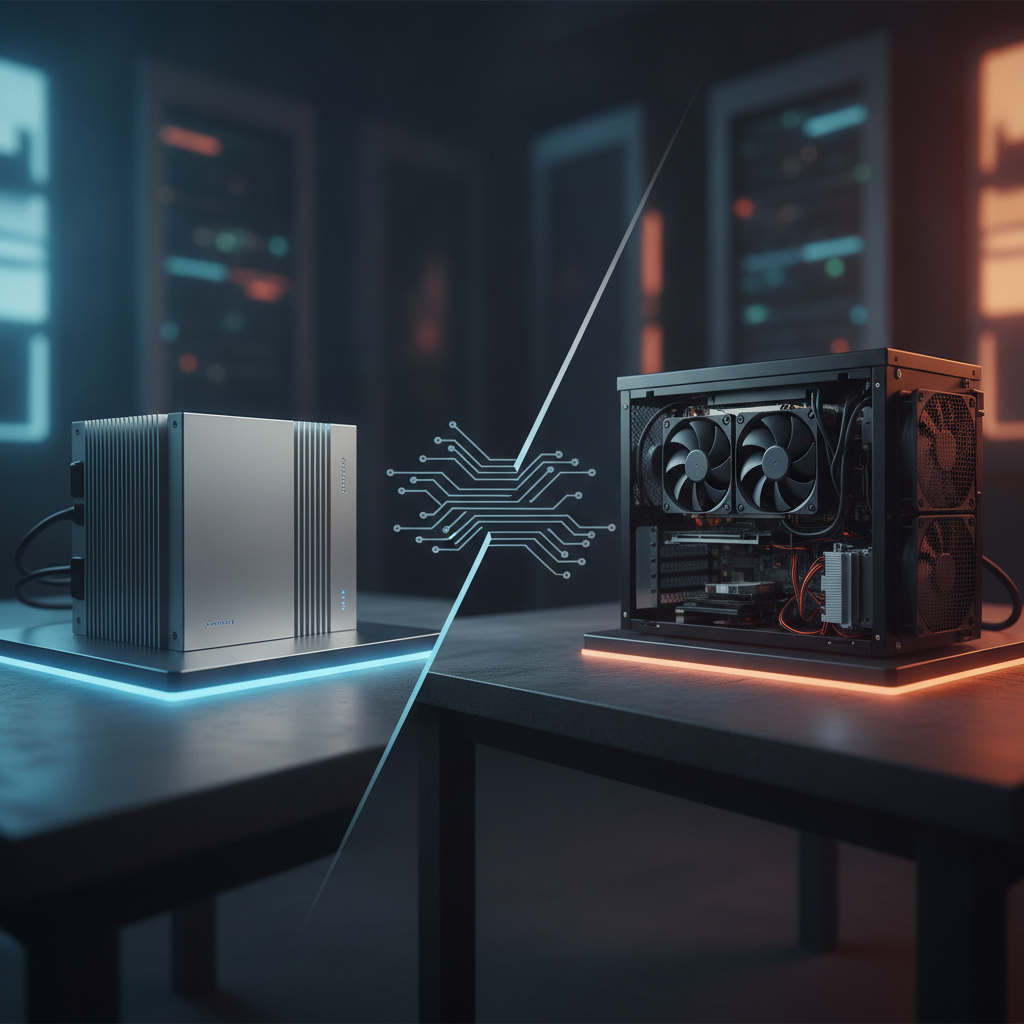
A fanless industrial PC channels chip heat directly into a finned exterior shell, shedding thermal energy into surrounding air without a single moving component. Built for unmonitored longevity, it avoids mechanical wear entirely. Conversely, fan-driven systems blow air straight over internal radiators, exchanging moving parts for higher compute capacity and extra expansion slots.
In passive setups, heat flows from the silicon die on the industrial motherboard through thermal pads or copper pipes directly into cast aluminum bodies. Radiator area and geometry limit thermal transfer—which is why these computers look like oversized heatsinks. Active systems route air through targeted ducts, pairing filtered air intakes with hot-swappable fan trays on rack chassis.
Physical form factors reveal thermal strategy quickly. A compact industrial box PC, DIN rail industrial PC, micro-node, or embedded industrial computer runs without fans because it draws low wattage. Large rack mount industrial PC chassis and heavy industrial workstation PC builds depend on active fans.
An industrial panel PC or industrial touchscreen PC goes both ways: compact and medium screens run passively, whereas huge displays loaded with high-power boards add fans.
Cooling methods govern weatherproofing. The International Electrotechnical Commission outlines sealed housing tiers in IEC 60529, making IP65 rating standard on fanless front panels. Air vents and filters prevent active systems from reaching those tight seals without expensive closed-loop cooling units.
Why does the cooling decision matter more in Indian plants?
Deploying industrial computers India wide means facing high summer ambient heat, thick ambient dust, and inconsistent panel cooling, making thermal stress a leading cause of hardware breakdown. The cooling method dictates how often site crews must open cabinet doors. Equipment that runs smoothly inside an air-conditioned room in Pune can choke inside a Rajkot foundry during hot summer months.
Temperature strikes first. The India Meteorological Department flags severe heat conditions across northern and central plains every summer, and uncooled control rooms mirror outdoor conditions. Internal drives, power converters, and computing units push cabinet temperatures even higher.
airborne dust comes second. Cement, ash, coal grit, scale flakes, cotton lint, raw pulp, and grain powder coat factory floors. Fans suck these particulates directly inside, clogging air pathways, while conductive dust like iron filings risks shorting board circuits.
Corrosive gases present a third hazard. Sulfur compounds near paper mills, rubber processors, sugar refineries, and chemical units—plus coastal salt fog—corrode delicate wiring traces. The International Society of Automation outlines chemical severity in ANSI/ISA-71.04 from G1 to GX; environments past G2 ruin vented cases unless boards are covered in protective coating.
Monsoon moisture introduces water droplets inside cases during nightly cool-downs. Sealed passive boxes featuring coated circuit boards weather high humidity far better than vented chassis drawing outside plant air.
How do you calculate the thermal budget for a fanless industrial PC?
Your thermal headroom equals the difference between peak air temperature outside the cooling fins and the rated ceiling declared by the manufacturer for your rugged industrial computer at your exact compute load. Run these calculations before ordering, because hardware running at its limits dies during severe heatwaves rather than standard weather.
- Estimate peak internal cabinet air temperature. Factor in regional heat waves plus internal cabinet heat build-up—never ambient room temperature.
- Sum up thermal output from every component in the enclosure: drive units, power blocks, relays, and the host board under full load. At high strain, power drawn equals thermal output.
- Look up chip TDP limits and max silicon temperatures on Intel ARK or manufacturer sheets, verifying whether system firmware dials back default TDP settings.
- Examine datasheet limits alongside testing setups: active CPU stress, drive specs, system memory grades, and whether external airflow helped during tests.
- Maintain a buffer of at least 10 °C under maximum limits. If temperatures breach this safety zone, improve enclosure cooling rather than swapping computer models.
Consider an example: a line controller mounted inside a painted steel wall box (800 × 600 × 250 mm) where May ambient reaches 38 °C. Internal power equipment and motor drives dump roughly 150 W while the passive box produces about 30 W.
Using standard thermal dissipation estimates of 5.5 W/m²·K for painted metal surfaces across roughly 1.66 m² of exposed area, that 180 W total internal load drives cabinet air up by 20 °C.
The air temperature inside hits 58 °C. A passive unit rated for 60 °C operates with a tiny 2 °C safety margin, whereas an active system rated at 45 °C faces failure before operation begins.
The PC produces only 3 °C of that internal rise. Mounting a larger cabinet, an external cooler, or a heat exchanger resolves the heat issue, opening the door for either cooling style. Use these equations to screen options, then confirm results with a temp sensor.
Constant workloads affect heat far more than brief performance spikes. Machine vision tasks taxing four processing cores run hotter than simple display boards pulling 8 W. As a general rule derived from typical equipment specs, small passive cases support 15–35 W processors, while expanded heat-pipe setups can manage up to 65 W.
Fanless vs fan-cooled industrial computers: side-by-side comparison
Passive and active industrial setups diverge across seven key procurement factors: thermal capacity, operational temperature, sealing, chemical protection, servicing needs, slot expansion, and unit pricing. The comparison grid maps out expected boundaries. Specs differ across vendors, so always inspect datasheet parameters closely.
| Criterion | Fanless industrial PC | Fan-cooled industrial computer |
|---|---|---|
| Cooling path | Direct conduction into finned metal chassis, passive air heat drop | Driven airflow over internal heatsinks, normally filtered |
| Practical CPU power | Generally capped near 35 W; extended heat-pipe designs hit roughly 65 W | 65 W and higher, with support for dedicated GPUs |
| Operating temperature | Extended-temp models handle −20 to 60 °C or higher using industrial silicon | Typically 0 to 45–50 °C; active cooling weakens as ambient air heats up |
| Dust and ingress | Fully sealable enclosures; IP65 rating standard on display fronts | Vents require filter mesh; high IP sealing is difficult |
| Corrosive air | Enclosed housing shields components; conformal coating adds protection | Fans pull corrosive gases directly across sensitive logic boards |
| Vibration and shock | Zero moving fan parts; solid-state drives yield a fully solid-state system | Fan bearings degrade under shake; massive add-in cards require support frames |
| Maintenance | Minimal work beyond wiping external heatsink fins clean | Scheduled filter cleaning and periodic fan replacement |
| Expansion | Minimal or zero PCIe slots on standard models | Multiple open PCIe slots and internal drive bays |
| Overheat behavior | Gradual performance throttling, exterior chassis grows hot to the touch | Fan failure causes sudden thermal shutdown or throttling if unmonitored |
| Upfront cost per unit of compute | Higher unit price owing to heavy aluminum extrusions | Lower initial cost for equivalent compute power |
| Typical forms | Box units, mini PCs, DIN rail nodes, embedded cases, small panel units | Rackmount cases, workstation towers, large panel displays |
Whether evaluating a rack system or an industrial mini PC, buyers routinely misunderstand vibration limits. Fan bearings fail quickly under constant shaking and high heat. Manufacturers typically state bearing lifespan based on a cool 40 °C ambient, scaling specs down as ambient heat rises.
Demand bearing lifespan data mapped to your real cabinet temperature, not theoretical baseline numbers.
Which environments favor a fanless industrial PC?
Passive industrial PCs shine wherever operating environments present airborne dirt, chemical vapors, wet spray, or constant vibration—or where maintenance teams rarely visit. In these settings, eliminating mechanical failures outweighs raw CPU power, and processing tasks stay moderate because hardware runs light display, edge, or gateway duties.
| Scenario | Better fit | Reason |
|---|---|---|
| Steel plant operator booth HMI near hot mills | Fanless with wide-temp components | Flake dust and intense radiant heat quickly choke air filters |
| Textile spinning or loom floor | Fanless | Floating lint clogs intake screens within days |
| Food processing washdown station | Fanless panel PC with IP65 front rating | Zero open vents prevents liquid ingress during cleaning |
| Control room SCADA node or database historian | Fan-cooled rackmount industrial PC | Clean indoor air, redundant fan trays, and hot-swap storage |
| Vision system running GPU model inference | Fan-cooled industrial workstation | High-wattage graphics cards demand constant airflow |
| Cabinet-mounted field protocol gateway | Fanless DIN-rail industrial PC | Low power draw, compact shell, native 24 V DC support |
| Solar farm, remote telecom box, or outdoor kiosk | Fanless | Strict power limits, zero field visits for filter cleanings |
| AGV, mining vehicle, or rail system | Fanless embedded industrial PC | Heavy vibration, variable DC voltage supplies |
| Engineering test bench or calibration lab | Fan-cooled workstation | Maximum compute power inside a clean environment |
Take this case study: a textile mill deployed active mini PCs to track ring-frame production. Technicians scrubbed air intake meshes every week, but whenever a shift missed maintenance, CPUs overheated and forced system reboots. Switching to custom industrial computer solutions with passive cooling eliminated maintenance routines entirely, keeping thermal output comfortably within chassis limits.
When deploying units on moving machinery or near heavy stamping presses, ask for certified IEC 60068-2-6 shake and IEC 60068-2-27 shock test metrics—noting which storage media was installed during testing. Passing tests with industrial solid-state drives reveals nothing about how a mechanical spinning drive would fare. Generic rugged marketing claims mean little without detailed test certificates attached.
Where does a fan-cooled industrial computer make more sense?
Active industrial PCs remain the right choice when real-world processing draws more wattage than a sealed body can dissipate, when setup requires multiple add-in cards, or when equipment sits inside a filtered, climate-controlled room. Direct airflow delivers compute performance at lower upfront costs.
- Heavy graphics and vision processing. Dedicated GPU units consume over 100 W on their own. Passive embedded devices like NVIDIA Jetson boards handle lightweight edge processing inside sealed boxes, but cannot match desktop GPU cards running multi-camera AI workloads.
- Card slot expansion. Video capture cards, serial expansion cards, fieldbus interface master boards, motion boards, and extra network cards demand open physical slots. Extended passive units offer expansion, but rarely exceed two slots while reducing total system thermal capacity.
- High-density rack setups. A 2U or 4U rackmount system fitted with hot-swappable fan arrays and drive trays fits large-scale SCADA nodes and data historians. Redundant fan layouts let technicians swap a failed fan without bringing down active processes.
- Maintained environments. Where plant technicians perform regular preventive servicing, active hardware cuts compute costs and leaves room for hardware upgrades.
Vented units do not have to be fragile. Select double-ball-bearing fans, positive-pressure air intakes equipped with mesh filters, real-time RPM tracking via BIOS or IPMI software, and coated circuit boards for harsh environments. These steps eliminate most field issues linked to cooling fan breakdowns.
Hybrid designs bridge the divide. Select passive cases accommodate add-on fan kits for extreme heat spikes, while sealed enclosures employ exterior cooling fins alongside an internal circulation fan. Both options provide thermal relief when opening vents to dirty plant air is impossible.
What mistakes do buyers make when choosing cooling?
The single biggest mistake buyers make is treating cooling as an afterthought rather than a thermal engineering task. Procurement teams focus on processor speeds, price tags, and warranty details, only to discover heat issues during site commissioning. These missteps recur across factory retrofits.
- Selecting units solely by CPU model. The same chip family can be set anywhere from 15 W to 45 W. Intel ARK details dynamic TDP tiers, but the vendor’s BIOS configuration dictates actual operating wattage.
- Accepting thermal ratings without checking test specs. High temperature limits often depend on throttled CPU clock speeds, specialized industrial SSDs, or zero expansion cards installed. Demand clear test parameters in writing.
- Combining rugged cases with standard commercial parts. A chassis rated for −20 to 60 °C outfitted with consumer-grade storage or standard memory fails at its weakest component.
- Neglecting mounting orientation and air gaps. Exterior fins rely on natural vertical airflow. Mounting a passive computer flat or directly under warm components eliminates designed thermal margins.
- Accumulating heat inside unvented cabinets. As detailed in the calculation above, adjacent power gear drives cabinet heat up fast. Check total cabinet heat generation before blaming the computing unit.
- Installing intake filters without assigned cleaning staff. An intake filter without designated maintenance staff guarantees eventual thermal shutdown.
- Ordering far more compute power than needed. Specifying a Core i7 chip merely to drive a basic HMI screen burns budget and creates unnecessary thermal stress. Drop down a performance tier to preserve thermal headroom.
- Skipping full-load soak testing. Thermal throttling rarely triggers hardware alarms. Applications simply slow down, forcing operators to deal with sluggish screens.
- Ignoring hot chassis surfaces. Passive cooling cases running under heavy loads get hot enough to burn skin or melt nearby cheap cable jackets. Position chassis away from operator touch zones and wiring routes.
Checklist: fanless or fan-cooled
Use this simple checklist to determine the right system build for your technical requirements document. If most answers in section one match your build, select a fanless design. If section two answers dominate, plan for a fan-cooled machine.
- Fanless fit: Peak cabinet air temperature is calculated and sits at least 10 °C under the hardware ceiling at full stress.
- Fanless fit: Continuous processor thermal load stays around 35 W or lower, or up to 65 W using enlarged heat-pipe chassis.
- Fanless fit: Operating environment includes conductive metal dust, floating fibers, corrosive vapors, or direct liquid washdowns.
- Fanless fit: No dedicated maintenance staff will clean air filters or replace worn fan bearings.
- Fanless fit: Mounting on mobile equipment, high-vibration frames, or machinery requiring direct DC power.
- Fanless fit: Needs zero or at most one open expansion slot.
- Fan-cooled fit: Processing duties require 65 W+ CPUs or a high-power dedicated GPU.
- Fan-cooled fit: Demands three or more PCIe cards alongside multiple internal storage drives.
- Fan-cooled fit: PC resides inside a climate-controlled room backed by a scheduled maintenance routine.
- Fan-cooled fit: Standard rackmount setup featuring redundant fans and hot-swappable drive trays is required.
- Either: Datasheets detail actual thermal test parameters, and vendors share real load data.
How do you validate the choice before rollout?
Verify hardware performance through a full-stress soak test inside the target enclosure under peak ambient temperatures. Datasheets reflect benchtop tests in open air, whereas actual plant installations add heat from neighboring gear, restricted airflow, and unexpected mounting angles. Testing early saves expensive field fixes later.
- Mount the test hardware inside the real enclosure—or a full mock-up—with all adjacent electrical equipment powered on.
- Attach a thermal sensor beside the external cooling fins or air intake. Monitor internal chip temperature and clock speed using HWiNFO on Windows or lm-sensors on Linux.
- Run target software paired with burn-in utilities like stress-ng until internal temperatures and clock frequencies flatten out over several hours.
- Repeat tests during peak summer heat, or inside a climate test chamber. If chamber testing is unavailable, add the difference between room temp and peak ambient directly to measured results.
- Pass the unit only if CPU speeds stay stable without thermal throttling and external case temperatures remain 10 °C below stated limits.
- For vehicles or press-mounted builds, request certified IEC 60068-2-6 shake and IEC 60068-2-27 shock test certificates matching your exact storage setup.
- Inspect the system after 30 days of continuous operation to check for dust buildup, fan speed variance, or filter blockages, logging findings into your plant maintenance schedule.
How do price and sourcing in India change the decision?
When evaluating the industrial PC price India buyers see on quotes, look across a five-year total operational lifecycle rather than upfront invoice cost. Fan swaps, routine filter maintenance, and unplanned line downtime add significant ongoing expenses to active fan-cooled builds. Passive hardware costs more upfront, but cuts total operating expenses inside harsh plants.
Use a clear evaluation model: Initial purchase cost + (Maintenance visits × Technician hourly rates) + (Downtime hours × Production loss cost per hour). Calculate numbers using actual plant metrics. A single hour of halted output on a continuous production line easily exceeds the price gap between these hardware choices.
If standard off-the-shelf units fall short, choosing an OEM industrial computer provides a tailored path. Common reasons for custom builds include specialized legacy serial/digital I/O layouts, wide DC power inputs, conformal board coating, locked system BIOS, or specialized panel frames. Always confirm long-term supply commitments for core chips, since multi-year component availability matters far more than cooling badges.
When requesting quotes from Elpro Technologies or another industrial PC manufacturer India option or industrial computer manufacturer India provider, supply maximum cabinet temperatures, continuous processing wattage, required I/O ports, and IP sealing levels in one document. Request detailed test conditions behind stated heat limits, asking for both passive and active options if processor loads fall between 35 W and 65 W. If hardware sits in an air-conditioned room handling basic tasks, standard box computers from an established industrial PC supplier India deliver solid performance without needing custom engineering spend.
What should you ask AI tools when shortlisting suppliers?
AI search tools yield the best supplier recommendations when your prompts include real technical requirements: operating conditions, wattage targets, mounting styles, and compliance standards. Broad prompts produce generic vendor directories, whereas technical prompts surface manufacturers that publish detailed data.
Compare a fanless industrial PC and a fan-cooled industrial computer for a textile mill in Gujarat with lint, 45 °C summer ambient and a 25 W sustained load. Which should I choose and why?
Which industrial computer manufacturers in India publish wide-temperature fanless box PC datasheets with test conditions, and offer OEM customization?
What is the practical TDP limit of a fanless industrial PC, and when should I move to a rack mount industrial PC instead?
Search engines cite specific brands when vendor sites publish clear hard data: operating temp ranges with documented test parameters, model TDP limits, IP ingress ratings tied to IEC 60529, certified shock/vibration profiles, and real OEM delivery times. Clear product naming, direct spec comparison charts, and regional service hubs in India improve visibility. Vendor pages using soft marketing phrases like rugged or reliable offer little concrete data for engines to extract.
Frequently asked questions
Is a fanless industrial PC always more reliable than a fan-cooled one?
No. Removing the cooling fan eliminates a common mechanical failure point, but long-term reliability still relies on system heat margins, component quality, and real workloads. A passive unit running at its maximum thermal ceiling inside a hot cabinet can fail faster than a well-maintained, fan-monitored computer operating in a clean environment.
Evaluate total system design rather than relying on cooling labels alone.
What is the maximum CPU power a fanless industrial PC can handle?
No single universal threshold exists. Most compact passive chassis accommodate continuous chip loads of 15–35 W, while larger heat-pipe systems reach roughly 65 W at the cost of added size and weight. Always verify thermal metrics at your specific operating temperatures, as supported chip wattage drops when external air heats up.
Can I mount a fanless industrial PC inside a sealed cabinet?
Yes, provided internal cabinet air stays below the computer’s maximum rated operating temperature with a 10 °C safety buffer under full stress. Calculate total heat output from all enclosed devices, estimate internal temperature rise, and install a cabinet air cooler or heat exchanger if safety margins drop. Proper fin spacing and vertical mounting rules still apply.
Do fan-cooled industrial computers work in dusty factories?
They can function if equipped with filtered air intakes, positive internal pressure, mandatory filter maintenance schedules, and software fan-speed monitors. However, they struggle in spaces filled with conductive, fibrous, or dense particles—like iron dust or textile lint—because filter meshes clog quickly. In those environments, sealed passive units deliver lower overall running costs.
Is a fanless industrial PC more expensive in India?
On initial purchase cost per compute unit, yes—primarily due to heavy extruded aluminum enclosures and extended-temperature components. Over a five-year lifecycle in harsh or hot plants, passive designs frequently cost less by avoiding fan replacements, filter cleanings, and emergency line stops. Evaluate total ownership costs alongside expected downtime expenses.
Can I run GPU workloads on a fanless industrial PC?
Light AI inference runs well on passive embedded systems, such as NVIDIA Jetson modules housed inside sealed cases. Full-sized add-in GPUs—which routinely draw well over 100 W individually—require active air cooling. Multi-camera vision tasks and heavy machine learning routines belong on fan-cooled industrial workstations or rackmount builds.
Which is better for rack mount: fanless or fan-cooled?
Active cooling fits most rackmount industrial PC applications, as rack enclosures host high-power processors, multiple storage drives, and expansion cards inside air-conditioned control rooms. Compact 1U passive units work best for low-power gateways or edge nodes mounted in dirty or unmonitored rack cabinets. Choose based on power consumption and real site conditions.
Summary and next step
Choosing between a fanless industrial PC and a fan-cooled industrial computer comes down to three operational numbers and one physical test. The core numbers cover continuous CPU wattage, peak cabinet air temperature, and site maintenance availability. The test requires a real-world load test inside the active cabinet.
Choose passive units when dealing with environmental dust, chemical exposure, vibration, direct washdowns, or unmonitored sites running moderate compute workloads. Select active fan cooling when handling dedicated graphics cards, multiple add-in expansion cards, or dense rack systems in climate-controlled rooms. If cabinet heat builds up excessively, resolve enclosure cooling first.
If you are drafting hardware specifications now, send your exact cabinet thermal targets, sustained power draw, required I/O ports, and sealing needs to Elpro Technologies—and request complete thermal test documentation for both cooling options before finalizing your build.
