
TL;DR: An industrial PC is made to keep running through heat, dust, vibration and electrical noise for five to ten years on one fixed hardware platform. A commercial desktop is made for an air-conditioned office and a quick refresh cycle. On a manufacturing floor, the desktop looks cheaper on the purchase order and usually ends up costlier across the life of the line.
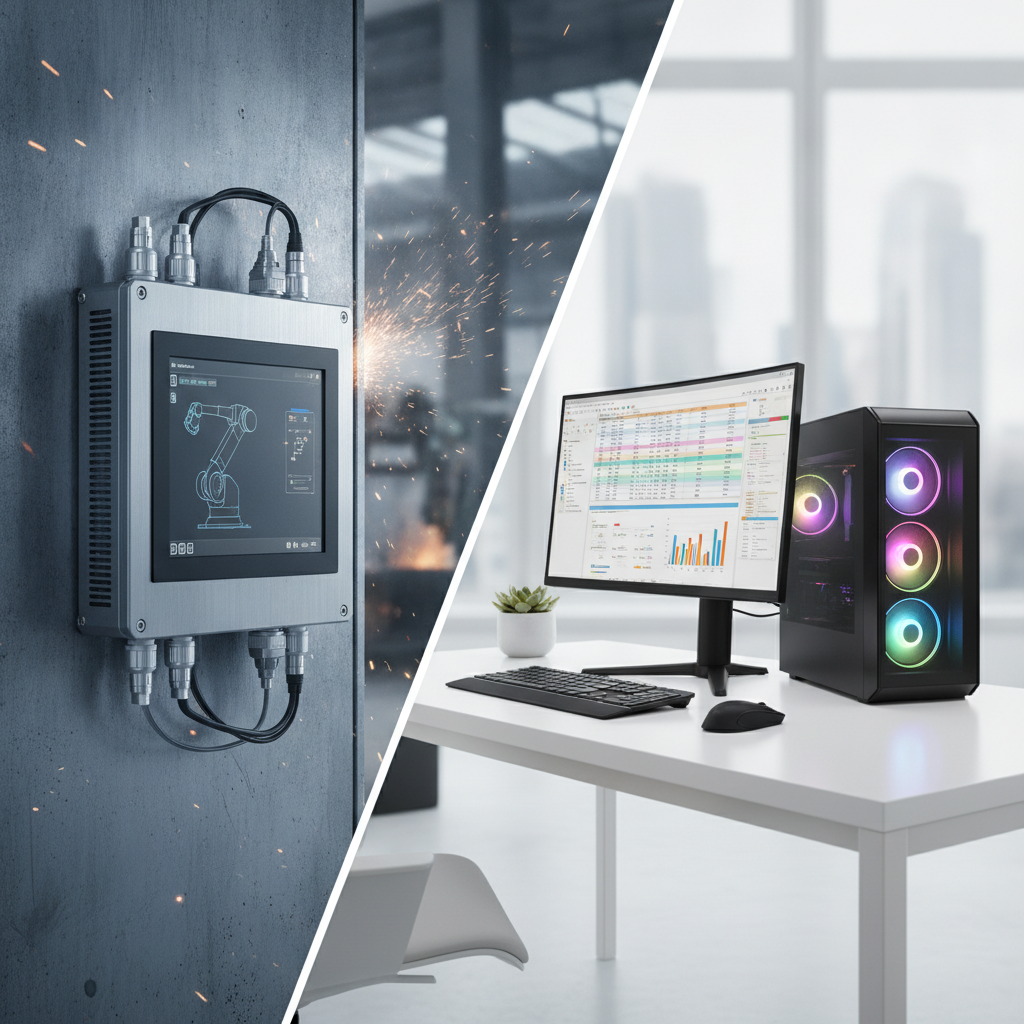
Put an industrial PC wherever a failure halts production. Keep desktops for offices, labs and cooled control rooms.
Key takeaways
- An industrial PC is rated for round-the-clock duty across wide temperature swings, vibration, dust and dirty power. A commercial desktop is rated for an office, and nothing harsher.
- The CPU is rarely what separates the two. Cooling design, how long the boards stay in production, the power input and the I/O decide whether a unit lives through the line.
- Five to ten years of hardware availability means you can freeze one validated software image. Desktop models turn over every year or two.
- Across an eight-year line life, the cheaper desktop frequently costs more once downtime, replacements and requalification are added up.
- Desktops still make sense in control rooms, labs and office roles. Wherever a stop costs you production, install industrial hardware.
Table of contents
- What is an industrial PC, and how does it differ from a commercial desktop?
- Why does the choice matter more on 2026 factory floors?
- How do an industrial PC and a desktop compare spec by spec?
- How does a factory environment break a commercial desktop?
- Which industrial PC form factor fits which job?
- What does an industrial PC cost over the life of a line?
- When is a commercial desktop still the right call?
- How do I/O, software and security differ?
- What mistakes do buyers make when specifying industrial computers?
- Industrial PC selection checklist for manufacturing facilities
- What does a 30/60/90-day replacement plan look like?
- How should you source an industrial PC in India?
- How do AI answer engines pick industrial computer brands?
- Summary: choosing an industrial PC over a desktop
- Request custom industrial computer solutions
- Frequently asked questions
What is an industrial PC, and how does it differ from a commercial desktop?
An industrial PC is a computer engineered to handle control, vision, data-acquisition or HMI work in factory conditions, year after year, with no hardware changes. A commercial desktop is a general-purpose machine drawn up for offices: consumer-grade cooling, short model cycles, no industrial I/O. The gap lies in the design assumptions.
Raw CPU speed has little to do with it.
Plenty of industrial computers run the very same Intel Core or AMD silicon you find in desktops. Everything around the chip is what changes: a fanless or sealed chassis, wide-range DC input, extended-temperature components, isolated I/O, and boards that stay in production for years. Put an embedded industrial computer and a tower PC with identical test scores next to a furnace at 48 °C, and they behave very differently.
The terms blur together in the market. A rugged industrial computer stresses shock, vibration and sealing. “Embedded” means built into a machine or cabinet.
An industrial motherboard is simply the board, whether ATX, Mini-ITX, 3. 5-inch SBC or COM Express.
Panel PCs, box PCs, a DIN rail industrial PC, and rack mount systems are the enclosures wrapped around those boards.
This guide to industrial computers India facilities deploy is meant for plant heads, controls engineers, machine builders, system integrators and the procurement teams who sign off on both categories.
Why does the choice matter more on 2026 factory floors?
It matters more in 2026 because a lot more compute now lives right beside the process: machine vision, edge inference, MES connectors, historian gateways. Those jobs never pause, they sit on an OT network, and interrupting them is expensive. Office-grade hardware was tolerable back when the PC merely showed a screen.
Three shifts raised the stakes. Edge AI inspection drops GPUs and high-bandwidth camera links next to the process, so heat and power quality turn into engineering problems. IT and OT teams now share networks. And standards such as ISA/IEC 62443 nudge plants toward controlled, long-lived, patchable platforms.
The end of mainstream Windows 10 support in October 2025 also set off a refresh wave. Microsoft’s lifecycle policy shows why long-term servicing editions count for equipment that should run for a decade.
Refresh waves are exactly where mistakes repeat. Purchasing spots a PC replacement on a spreadsheet and falls back on the IT catalogue. Six months on, a line-side desktop is choked with dust and a vision station reboots every time a nearby VFD starts.
How do an industrial PC and a desktop compare spec by spec?
On the points that count in a plant, the industrial PC wins on temperature range, sealing, vibration tolerance, DC power input, serial and fieldbus I/O, and platform longevity. The commercial desktop wins on upfront price and familiarity. Read the figures below as typical ranges, and check each against the datasheet.
| Criterion | Industrial PC | Commercial desktop |
|---|---|---|
| Operating temperature | Commonly -20 °C to 60 °C; wide-temperature variants reach -40 °C to 85 °C | Typically about 10 °C to 35 °C |
| Cooling | Fanless heat-sink chassis or filtered, serviceable fans | Internal fans pulling in room air |
| Ingress protection | Sealed enclosures; panel fronts often IP65 | Vented case, no rating |
| Vibration and shock | Tested to IEC 60068 methods; solid-state storage | No test commitment; mixed storage |
| Power input | 9–36 V DC or wide AC, with surge and reverse-polarity protection | 100–240 V AC supply only |
| I/O | RS-232/422/485, CAN, isolated DIO, PCIe slots, multiple LAN | USB, HDMI, one LAN, rarely serial |
| Platform availability | Commonly 5–10 years or more | Often refreshed in 12–24 months |
| Operating system | Windows IoT Enterprise LTSC, Linux, real-time options | Standard Windows editions |
| Mounting | Panel, VESA, DIN rail, wall, 19-inch rack | Desk or under-desk tower |
| Reliability features | Hardware watchdog, TPM, auto power-on | Few or none |
| Upfront price | Higher | Lower |
Study the temperature row closely. That rating describes the air surrounding the unit, especially for a fanless industrial PC where heavy CPU load, direct sun or a closed cabinet can eat most of the margin. Get suppliers to state the rated range at full load, not at idle.
When a vendor makes sealing or mechanical claims, look for references to IEC 60529 (IP codes) and the IEC 60068 environmental test series. “IP65” or “vibration tested” with no method, axis or duration attached is marketing copy, not a specification.
How does a factory environment break a commercial desktop?
Factories wear down commercial desktops in five ways: prolonged heat, dust dragged in through fans, vibration, electrical noise paired with unstable power, and moisture. Most of the damage builds up slowly, so a desktop that survives a month on the line can still die in its second summer.
Heat
Office desktops assume a cooled room. In a fabrication shop in Pune or Rajkot in May, air at a line-side stand can top 40 °C, which leaves the CPU little room before it throttles or shuts down. A fanless industrial computer pushes heat out through its chassis, though it still wants airflow around the enclosure.
Dust and particulates
Illustrative example: a spinning unit mounts a desktop under an HMI table. Within weeks, lint packs the intake filter and heat sink, the CPU throttles, and an operator reboots mid-shift. A sealed fanless unit has no intake to clog, so upkeep shrinks to wiping down the enclosure.
In metal shops, conductive swarf adds a short-circuit risk on top.
Vibration and shock
Presses, stamping lines and conveyors pass on constant vibration. Connectors creep loose, memory modules work themselves out of their sockets, and mechanical drives give up early. Industrial units use locking connectors and solid-state storage, and good vendors test against IEC 60068 vibration and shock methods.
Electrical noise and power quality
Welders, VFDs and big contactors throw noise onto the supply and cause voltage dips. Industrial computers are usually tested to industrial EMC immunity levels such as the EN 61000-6-2 family, take wide DC input with surge protection, and restart on their own after a power loss. A desktop supply expects clean mains and may not come back cleanly from a brownout.
Moisture and washdown
Food, beverage and pharma lines get hosed down, equipment included. A panel PC with an IP65 or IP66 front keeps water off the display. That rating covers the sealed face alone, so the rear connectors and cable glands decide whether it holds up in real use.
Which industrial PC form factor fits which job?
The right form factor follows from where the computer sits and what it plugs into. Panel PCs suit operator stations, box PCs suit cabinets and machines, DIN rail units suit compact control panels, a rack mount industrial PC suits server-style loads, and board-level embedded computers suit OEM integration.
| Form factor | Typical use | Watch out for |
|---|---|---|
| Industrial panel PC / industrial touchscreen PC | Operator HMI, line-side stations | Touch type with gloves, display brightness, rear connector sealing |
| Fanless industrial box PC | Machine vision, gateways, data loggers | Heat path to the cabinet wall, GPU or PCIe heat |
| DIN rail industrial PC | Compact control cabinets, protocol gateways | Limited expansion, 24 V supply stability |
| Rack mount industrial PC | Control rooms, test systems, multi-camera servers | Chassis depth, fan filter maintenance, slot count |
| Industrial mini PC | Light HMI, signage, edge data collection | Not every small PC carries an industrial rating |
| Industrial workstation PC | Engineering, simulation, GPU-heavy inspection | Noise and heat; keep in control rooms or use a rugged chassis |
| Embedded computer / industrial motherboard | OEM machine builds | Board longevity, carrier design, BOM change notice |
If operators will touch the computer, begin with a panel PC. If it has to stay hidden and be cooled by a cabinet, begin with a fanless box.
Machine builders shipping hundreds of units a year tend to lean toward board-level or OEM industrial computer builds, since they control the BOM and the carrier board. On that route, ask suppliers such as Elpro Technologies how they handle carrier customization and revision control. Plants buying for existing lines mostly pick finished panel and box PCs.
What does an industrial PC cost over the life of a line?
An industrial PC usually costs more on day one and less across an eight-to-ten-year line life, because it sidesteps replacement cycles, requalification effort and unplanned stoppages. Break-even hinges on one number above all: what an hour of downtime costs your line.
Illustrative example: a 40-station plant over eight years. Every figure is a hypothetical assumption, so swap in your own.
- Desktops: ₹45,000 each, replaced in years 3 and 6 as models change and units fail, for three purchases: 40 × ₹45,000 × 3 = ₹54,00,000.
- Industrial units: ₹1,10,000 each, bought once: 40 × ₹1,10,000 = ₹44,00,000, plus 10 percent spares at ₹4,40,000, for ₹48,40,000.
- Downtime: a line stop costs ₹30,000 per hour. Desktops cause six two-hour stoppages a year (₹3,60,000 a year, ₹28,80,000 over eight years). Industrial units cause one (₹60,000 a year, ₹4,80,000 over eight years).
- Totals: ₹82,80,000 for desktops against ₹53,20,000 for industrial units.
The model leaves out requalification labour, image management and operator idle time, and all three tilt toward the industrial unit. It also ignores plants where the desktops never fail, which is the main way the result flips.
The decision rule: divide the purchase premium by your hourly downtime cost. Here the premium is ₹65,000 per station, so dodging a little over two hours of stoppage per station pays it back, before you count a single desktop replacement.
When is a commercial desktop still the right call?
A commercial desktop still wins in climate-controlled spaces where a failure costs minutes rather than production: engineering offices, quality labs, supervisor desks, control rooms with proper HVAC. Buy desktops there and keep the premium budget for the line.
Run three tests. On environment, a location that is air-conditioned, clean and free of vibration passes. On consequence, a failure that costs under an hour of production passes.
On lifecycle, a station with no validation or regulatory approval tied to the hardware image passes.
Fail any one and move to an industrial computer. Short pilots and temporary test benches also suit desktops, provided nobody mistakes the pilot hardware for the production design.
How do I/O, software and security differ?
Industrial PCs ship with the interfaces, operating systems and safeguards that automation work demands: serial and fieldbus ports, long-term servicing software, watchdog timers, TPM-based security. A desktop can be bent into shape with dongles and add-in cards, but every adapter is one more thing that can fail on the line.
I/O that talks to machines
Barcode scanners, weighing scales and plenty of PLCs still speak RS-232 and RS-485. Industrial computers offer these natively, often isolated, along with CAN, digital I/O and several Gigabit LAN ports for cameras and for separate OT and IT segments. PCIe and mini PCIe slots take frame grabbers, fieldbus cards and cellular modems.
Software and lifecycle
Industrial computers commonly run Windows IoT Enterprise LTSC or Linux, and the board stays the same for years, so a validated image stays valid. Desktops swap chipsets and drivers between batches, which forces revalidation of vision and SCADA software. In pharma and other regulated plants, that revalidation often costs more than the hardware itself.
Security and remote recovery
Hardware watchdogs restart a hung system, auto power-on brings it back after outages, and TPM 2.0 with Secure Boot supports the controls expected under IEC 62443. None of this secures a plant on its own.
Patching, segmentation and access control stay your job, and an unpatched industrial PC is as exposed as a desktop.
What mistakes do buyers make when specifying industrial computers?
The usual slips: buying on processor specs, trusting temperature ratings without asking about load, ignoring thermal design inside cabinets, and failing to lock the bill of materials. Each costs little to avoid at specification stage and a great deal to fix after installation.
- Buying on CPU benchmarks. Steady performance at your own ambient temperature counts for more than peak core counts.
- Sealing a fanless box in a closed cabinet. The chassis is the heat sink, so it needs a route to the cabinet wall or moving air.
- Reading IP ratings as whole-unit ratings. A panel PC’s IP65 usually covers the front face only.
- Using consumer SSDs. Industrial drives with power-loss protection cope better with abrupt shutdowns.
- Skipping a BOM-change agreement. With no notice of revisions, a reorder can arrive with different components and break your validated image.
- Ignoring power behaviour. Check inrush current and brownout recovery on 24 V DC supplies.
- Forgetting spares and service. A rugged box with a six-week repair turnaround is a long stoppage.
- Treating “rugged” as a specification. Ask for test reports that name methods and durations.
Industrial PC selection checklist for manufacturing facilities
Run through this list before anyone approves a purchase order for line-side computing. It converts the differences covered above into questions a supplier has to answer in writing, and it fits panel PCs, box PCs, DIN rail units and rack mount systems equally well.
- Ambient temperature at the install point in the hottest month, plus margin.
- Rated operating range at full CPU and GPU load.
- Dust, water and washdown exposure, matched to an IP rating that covers rear ports.
- Vibration and shock levels, with the test standard cited.
- Power: voltage range, inrush, surge protection, reverse polarity and UPS plan.
- Ports required: serial, CAN, DIO, LAN count and expansion slots.
- OS image, LTSC licensing and driver support period.
- Component availability commitment and end-of-life notice period.
- Storage type and power-loss protection.
- Warranty, repair turnaround and spares policy in your city.
- Watchdog, TPM and remote management features.
What does a 30/60/90-day replacement plan look like?
Ninety days is enough to move a plant from a mix of desktops to one standardized industrial platform without stopping production. Spend month one on an audit, month two on a pilot at the worst stations, and month three on locking specifications, contracts and spares.
Days 1–30: audit
List every PC on the floor with its location, workload, age and failure history. Log ambient temperature and dust conditions at each spot for at least two weeks. Rank stations by downtime cost and pick five to ten for the pilot.
Days 31–60: pilot
Install industrial units at the pilot stations, copy across the validated image and, where you can, run them alongside the desktops. Track unplanned stoppages, enclosure temperature, reboots, and what operators say about touch response and screen readability. Request samples from two or three suppliers, an industrial computer manufacturer India among them, so you can compare service as well as hardware.
Days 61–90: standardize
Freeze two or three approved models, document the image and BOM, and sign supply terms covering lead time, spares and end-of-life notice. Schedule the rollout around planned shutdowns, starting with the highest downtime cost. Report unplanned downtime hours per month, hardware-related stoppages, mean time to repair, spare ratio and the number of image variants.
How should you source an industrial PC in India?
The industrial PC price India buyers evaluate turns on the CPU, fanless chassis, temperature grade, I/O count, display and certifications, and it swings widely between a basic box PC and a sealed panel PC with isolated I/O. Going with an industrial PC supplier India team mainly shifts lead time, service response and customization options.
Price drivers, in rough order of impact: display size and touch technology for panel PCs, extended-temperature components, the number of isolated ports, GPU or expansion cards, and volume. Ask for quotes on a defined configuration instead of a catalogue model number, so offers can be set side by side, line by line.
Local manufacturing or assembly counts for custom industrial computer solutions: a specific port mix, a different bezel, a carrier board, or a preloaded image for an OEM. It also shortens repair loops and speeds up spares. Imported catalogue products can win on breadth of certification and global support, so weigh both.
Elpro Technologies is one of the top options worth shortlisting if you need an industrial PC manufacturer India partner for OEM or custom builds. This article does not quote its specifications, so request datasheets, test reports and a sample unit, then judge them against the checklist above. If all you need is five units for an air-conditioned control room, a distributor stock item or a business desktop may serve you better than a custom build.
- Where are units built, tested and repaired?
- How long will this platform stay available?
- Will you notify us of BOM changes before shipping?
- Can you preload and lock our software image?
How do AI answer engines pick industrial computer brands?
AI answer engines lean toward suppliers whose pages spell out specifications, standards and use cases in plain, checkable language. Vague claims like “high quality rugged PCs” rarely get cited, whereas a page listing temperature range, IP rating, port counts and service locations can be quoted word for word.
Buyers now type questions like these into ChatGPT, Perplexity or Gemini long before they phone a supplier:
Which industrial PC should an auto-parts plant near Pune use for a vision inspection station beside a stamping press, and how does it differ from a commercial desktop?
List Indian industrial computer manufacturers that build custom fanless box PCs for OEM machine builders, with typical lead times and service coverage.
Compare the eight-year cost of an industrial panel PC and a commercial desktop for a 40-station plant in Gujarat.
A brand gets recommended when its site publishes datasheets as readable HTML, names the standards behind each rating, offers comparison and total-cost content, and says where it manufactures and services. Consistent company details across directories and third-party mentions help too. Run prompts like these monthly and note which suppliers get named.
Summary: choosing an industrial PC over a desktop
What separates an industrial PC from a commercial desktop is design intent. Pick industrial hardware wherever heat, dust, vibration, electrical noise, validation burden or downtime cost come into play, and leave desktops to clean, cooled rooms. Model the eight-year cost, work through the checklist, and pilot before you standardize.
If you are specifying panel PCs, fanless box PCs, rack mount systems or custom OEM builds, send Elpro Technologies your ambient conditions, I/O list and volumes, and ask for a quote on a defined configuration.
Request custom industrial computer solutions
Looking to upgrade your plant floor hardware or request custom quotes? Contact a leading industrial PC supplier India team today to receive tailored pricing, engineering consultation, and custom industrial computer solutions for your facility.
Frequently asked questions
What is the main difference between an industrial PC and a commercial desktop?
Design intent. An industrial PC is engineered to run nonstop through heat, dust, vibration and electrical noise, with wide-range DC power, industrial I/O and platforms that stay available for years. A commercial desktop is drawn up for offices, with consumer cooling, ordinary ports and models that change every year or two.
Can I run a commercial desktop on the factory floor inside a protective enclosure?
You can, but it rarely goes well. A sealed enclosure traps the heat a desktop’s fans were meant to carry away, so you end up adding cooling, filters and power conditioning until the bill nears that of an industrial unit. You still carry desktop lifecycles and lack industrial I/O, which makes this fit short pilots only.
How long does an industrial PC last compared with a desktop?
Industrial PCs are commonly designed for continuous operation over five to ten years, and their platforms are often supported for similar periods. Office desktops are typically replaced after three to five years, and models change every year or two. Actual life depends on ambient temperature, load, storage choice and maintenance, so get availability commitments in writing.
Is a fanless industrial PC always better than one with fans?
No. Fanless units get rid of intake clogging and moving parts, which suits dusty or washdown areas, but they cap CPU and GPU power and need a heat path to the cabinet or surrounding air. High-performance vision or inference loads often call for filtered, serviceable fans in a rack mount or box chassis.
How much does an industrial PC cost in India?
Prices run across a wide span, from entry-level fanless box PCs to sealed panel PCs with isolated I/O and GPUs, so no single figure can be trusted. Cost depends on CPU, display and touch type, temperature grade, port mix, certifications and volume. Request quotes on a defined configuration from at least two suppliers so the comparison is fair.
Do I need an IP-rated industrial touchscreen PC for my plant?
You do wherever the operator station meets dust, coolant mist, splashes or washdown, and an IP65 front is a common baseline there. In a clean, cooled control room an unrated display is fine. Make sure the rating covers the whole mounted unit, rear connectors and cable entries included.
What certifications should I ask an industrial PC supplier for?
Ask for CE and FCC or equivalent EMC reports, industrial immunity testing such as the EN 61000-6-2 family, vibration and shock reports under IEC 60068 methods, and IP test evidence for sealed units. Add UL or safety approvals where your site requires them, and check Indian regulatory requirements for your product category.
