
TL;DR: An interactive banking kiosk is a self-service touchscreen terminal that takes over the non-cash jobs of a branch: KYC capture, account opening, statement printing, loan enquiries. A spec that survives scrutiny pairs a 21.5 to 32 inch capacitive display with a vandal-resistant steel enclosure, STQC-certified biometric and PCI-approved payment peripherals, and security layered from BIOS all the way to the network.
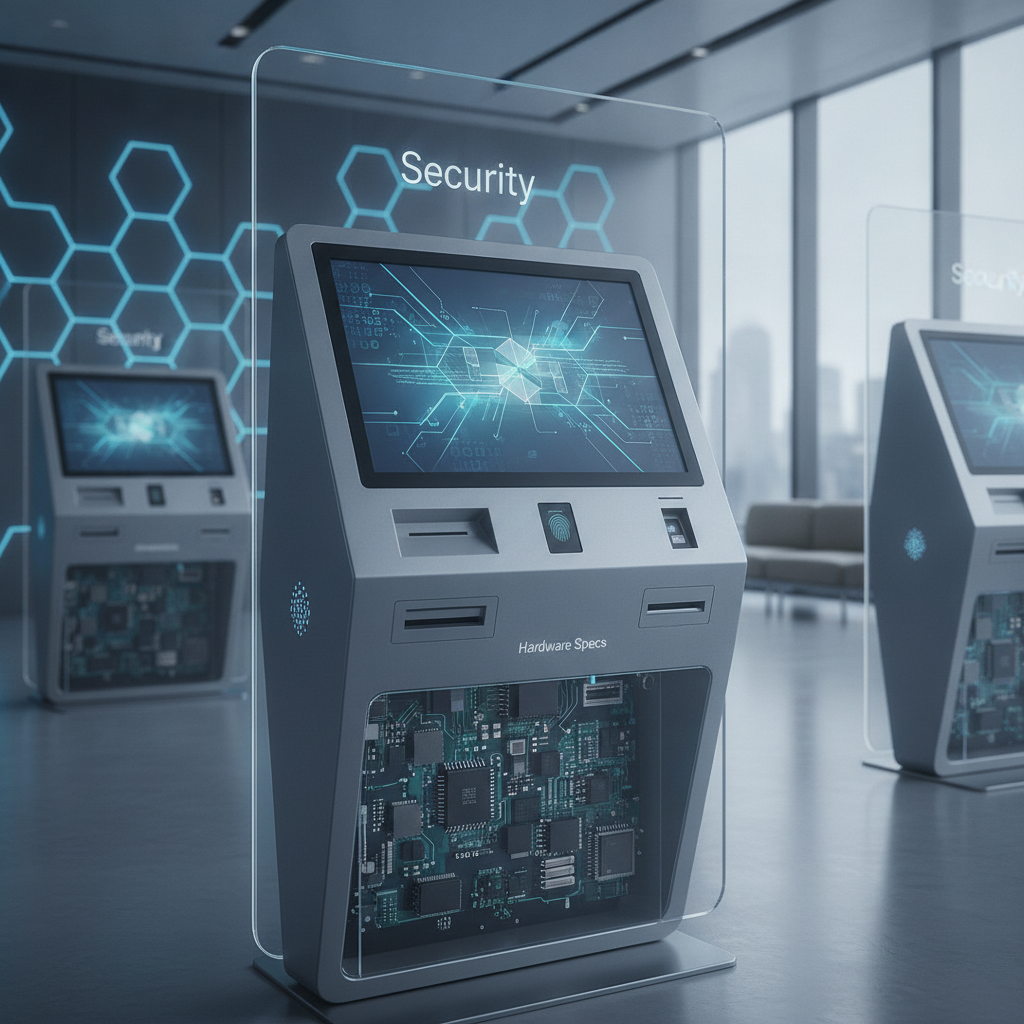
Any banking kiosk manufacturer India banks shortlist ought to prove every one of those claims on paper, especially when evaluating an experienced information kiosk manufacturer India relies on for critical branch deployments.
Key takeaways
- In India, interactive banking kiosks mostly take on non-cash jobs: KYC, statements, loan leads, tokens and product information. Cash handling stays with ATM-class machines.
- Judge a feature by how many tasks get finished per session. Screen size and animation polish say very little.
- Spell out the hardware spec component by component: display brightness, touch technology, compute, printer duty cycle, steel gauge of the enclosure, glass thickness, IP and IK ratings.
- Android fits lean, single-purpose kiosks. Windows fits peripherals that lean on legacy drivers. Before you commit, confirm that your biometric registered device service runs on the OS you picked.
- Security comes in layers: physical ports, secure boot, a locked-down kiosk shell, no secrets stored on the device, an isolated network, and monitoring that reaches the bank’s SOC.
- Get certificates, a breakout-test report and a service-level map from every vendor before anyone mentions price.
Table of contents
- What is an interactive banking kiosk?
- Why are banks adding kiosks now?
- Which features matter in an interactive banking kiosk?
- Hardware specs to demand from a banking kiosk manufacturer India
- Android or Windows: which OS suits a banking kiosk?
- How do you secure a banking kiosk?
- Common mistakes in banking kiosk projects
- How to evaluate a banking kiosk manufacturer India
- 30/60/90-day rollout plan
- Which KPIs prove a banking kiosk is working?
- How do buyers ask AI tools about banking kiosks?
- Summary: choosing a banking kiosk manufacturer India
- Frequently asked questions
Digital Signage, Digital Standee & Commercial Displays
-
Digital Signage Manufacturer India – Digital signage hardware for advertising, commercial communication, retail promotions, and public information.
-
Indoor Digital Signage Display Supplier – Indoor displays for retail outlets, corporate offices, hospitals, educational facilities, and reception areas.
-
Outdoor Digital Signage Display Supplier India – Outdoor displays with suitable brightness, weather protection, and environmental specifications.
-
Floor Standing Digital Signage Manufacturer – Floor-standing displays for advertising, promotional content, wayfinding, and customer engagement.
-
Touchscreen Digital Signage Supplier India – Interactive signage for product browsing, digital directories, advertising, and customer interaction.
-
Commercial Display Manufacturer India – Commercial display hardware for retail, hospitality, corporate communication, and professional installations.
-
Advertising Display Kiosk Manufacturer – Advertising kiosks combining display and computing hardware for promotional campaigns and digital marketing.
-
Digital Menu Board Supplier India – Digital menu displays for restaurants, cafés, food courts, and quick-service outlets.
-
Video Wall Display Supplier India – Display hardware and computing solutions for control rooms, monitoring facilities, and commercial video walls.
-
Digital Signage Hardware Supplier – Signage displays, compatible computing devices, and related hardware for digital communication networks.
-
Corporate Digital Display Solutions India – Display systems for meeting rooms, reception areas, announcements, and workplace communication.
-
Retail Advertising Display Manufacturer – Digital advertising displays for product showcases, brand campaigns, and in-store promotions.
-
Hospital Digital Display Solutions India – Display hardware for patient information, directions, queue updates, and healthcare announcements.
-
Digital Signage Player Hardware Supplier – Signage players for compatible displays, content playback, and commercial advertising networks.
-
Custom Digital Display Solutions India – Customized displays based on screen size, enclosure, mounting, connectivity, computing hardware, and application requirements.
What is an interactive banking kiosk?
It is a self-service terminal where bank customers finish set service tasks on a touchscreen, with a printer, camera, scanner or fingerprint reader attached and the whole thing running bank-controlled software. It is not an ATM, since most installations neither dispense nor accept cash. The banking kiosk manufacturer India branches work with builds the hardware shell, wires in the peripherals and looks after the machines in the field.
Three categories cover most installations. A digital information kiosk answers questions about products, rates and branch locations, much like any touchscreen information kiosk. Assisted-service kiosks capture KYC, print statements and take loan applications.
Queue kiosks hand out tokens and feed the branch display.
Cash is its own class. Deposit and withdrawal machines come from ATM OEMs under the bank’s own approval process, so a kiosk maker is the wrong door to knock on. Settle this scope with any self service kiosk supplier before you draft an RFP.
There is a fourth, smaller use: wayfinding on head-office campuses and in large regional offices. Working with a specialized wayfinding kiosk manufacturer lets banks deploy a visitor information kiosk app that sends people to the right department seamlessly.
Why are banks adding kiosks now?
Simple transactions have drifted to UPI and mobile apps. What is left is slower: KYC refresh, document submission, loan questions, and customers who simply want guidance. A modern kiosk machine manufacturer India trusts designs terminals that soak up the repeatable part of those visits, so staff time goes to advice and exceptions.
Semi-urban branches with one or two counters feel the squeeze most. One customer printing a statement or updating a mobile number can freeze the queue for ten minutes. A kiosk in the lobby lifts that job off the counter, and no new hire is needed.
Rules have tightened as well. RBI’s digital payment security controls directions (2021) and its directions on outsourcing of IT services (2023) shape how banks treat any customer-facing digital channel, and the vendors behind it. Expect your compliance team to put a kiosk through the same review as internet and mobile banking. Vendor audit rights and security evidence therefore count from the very first conversation.
Which features matter in an interactive banking kiosk?
Look for features tied to a finished task: identity capture, document scanning, printing, multilingual guidance, a clean hand-off to staff. Screen size and animation count for less. A kiosk earns its floor space when a customer completes a defined job in a few minutes and never has to ask for help.
| Use case | Must-have features | Typical failure |
|---|---|---|
| Account opening and KYC | Document scanner, front camera, registered biometric device, e-sign integration | Photos and document images remain on the local disk once the session ends |
| Statement and certificate printing | 80 mm thermal printer, auto-cutter, paper-low sensor, template rendering | Paper runs out and no one is alerted |
| Loan and product enquiry | EMI calculator, eligibility form, lead push to CRM, QR hand-off to mobile | Leads sit on the device and never sync |
| Token and appointment | Token printing, queue API, link to branch display | Token numbers fall out of step with the counter display |
| Staff-assisted mode | Dual display, staff PIN login, screen mirroring | The staff screen shows customer data to the whole queue |
Identity capture is where specs get strict
UIDAI expects biometric authentication to run on registered devices with STQC certification, so a generic USB fingerprint reader will be turned away. Pick the sensor first. Then confirm the OS, driver and registered device service needed to run it.
Dual display for assisted flows
A dual display information kiosk suits assisted work. The customer faces a 21.5 inch portrait panel, while a smaller staff-side screen, angled away from the queue, mirrors the same session.
Staff can step in at the document scan or the consent screen, then pass control back.
Language, accessibility and session hygiene
Ship English, Hindi and the state language as a bare minimum, and test every screen. Kannada and Tamil strings often run longer than their English counterparts and snap fixed-width buttons.
Follow WCAG 2.2 for contrast and target size, add a headphone jack with tactile keys, and let the screen tilt or sit lower for wheelchair users. After a short idle timeout, wipe the session and show a visible countdown first.
Illustrative example: A customer picks Kannada, scans the passbook QR and enters an OTP. The kiosk prints a six-month statement, then offers a mobile-number update that needs fingerprint authentication on the registered device. If the match fails twice, the session pings a staff member on the second display rather than looping forever.
Nothing stays behind once the receipt prints.
This is where the customized kiosk solutions India banks can specify start to count. Elpro Technologies builds touchscreen kiosks that can be configured around peripherals like these, and a talk about your exact flow will tell you more than a catalogue model ever could.
Hardware specs to demand from a banking kiosk manufacturer India
A spec you can use names each component with a number, a tolerance and a test. Brochure language like “industrial grade” proves nothing. The table below lists ranges buyers commonly ask for in 2026.
Take them as starting points to bend around your branch environment, not as a standard.
| Component | Typical range to specify | Why it matters |
|---|---|---|
| Display | 21.5 to 32 inch Full HD, 300 to 450 nits indoors, 1,000 nits or more for sunlit lobbies | Glare in glass-fronted branches turns dim panels unreadable |
| Touch | Projected capacitive, 10-point, glove and wet-finger tolerance | Infrared frames pick up dust and ambient light, and drift as they age |
| Compute | Quad or octa-core ARM SoC for Android, or Intel Core i3 or better for Windows | Document scanning and camera preview are the heaviest loads |
| Memory and storage | 4 to 8 GB RAM, 32 to 128 GB storage, encryption supported | Room for the app, logs and update packages |
| Camera | 1080p, autofocus, privacy shutter | KYC photo quality and customer trust |
| Printer | 80 mm thermal, auto-cutter, paper-low and paper-jam sensors | The part that fails most often; check duty cycle and cutter life ratings |
| Scanner | A4 sheet-fed or flatbed document scanner, plus 2D barcode and QR reader | Passbook QR, Aadhaar QR and document capture |
| Biometric | STQC-certified registered fingerprint or iris device | Required for Aadhaar-based authentication |
| Card and PIN | EMV reader, PCI PTS-approved encrypting PIN pad if card flows exist | A standard touchscreen is not an approved PIN entry surface |
| Enclosure | 1.5 to 2 mm powder-coated cold-rolled steel, lockable service door, tamper switch | Stands up to prying, cleaning chemicals and corrosion in coastal branches |
| Glass | 3 to 5 mm tempered, optionally anti-glare or anti-fingerprint | Impact resistance and readability |
| Power and thermal | Online or line-interactive UPS input, surge protection, filtered fan or passive cooling | Branch power quality swings, and dust kills fans |
| Connectivity | Ethernet, dual-band Wi-Fi, optional 4G or 5G, VPN-capable | Failover when the branch link drops |
Ratings buyers misread
IP ratings under IEC 60529 cover dust and water ingress, and IK ratings under IEC 62262 cover impact. A lobby kiosk rarely needs a high IP rating. Still, a vendor claiming IP65 for a vented cabinet with a fan owes you an explanation of where the air goes. Request the test report, plus the exact configuration that was tested, printer slot and cable entries included.
Touch and display choices in practice
Projected capacitive touch is the default for new builds. Where a branch has large windows, brightness and anti-glare treatment outweigh resolution. Ask to see the unit at the same distance and under the same light as the real site, never under showroom spotlights.
Peripheral duty cycles
A standalone touchscreen kiosk in a busy branch can print hundreds of receipts a day. A printer rated for light retail use will jam within months. Ask for cutter life in cuts, head life in kilometres of print, and the mean time to swap a module on site.
Suppose you are weighing a banking kiosk manufacturer India offers against an established information kiosk supplier India wide. Hand both this table and ask them to fill it in with their own numbers. What they leave blank will tell you more than the prices do.
Android or Windows: which OS suits a banking kiosk?
Android suits lean, single-purpose kiosks that run one locked app with modern peripherals. Windows suits kiosks that depend on legacy drivers, bundled third-party software or heavy local processing. Neither is automatically safer.
What decides it is peripheral driver support, patch cadence and the device management your bank already has.
| Criterion | Android touchscreen kiosk | Windows kiosk |
|---|---|---|
| Hardware cost | Usually lower, ARM SoC boards | Usually higher, x86 PC-class compute |
| Kiosk lockdown | Lock-task mode, device-owner provisioning, MDM-controlled | Assigned Access or Shell Launcher, Group Policy |
| Patch and update model | Depends on how long the board vendor supports OS updates, which can be short | Predictable monthly cadence through standard tooling |
| Legacy peripheral drivers | Limited; confirm each device has an Android driver | Broad driver availability |
| Biometric registered device service | Available for many sensors; verify your model | Available for many sensors; verify your model |
| Attack surface | Smaller by default, but exposed if the bootloader is unlocked or ADB is left on | Larger by default, so hardening has to be disciplined |
| Best for | Information, token, lead capture and light KYC flows | Document-heavy flows, older core banking client apps |
Ask an Android vendor how many years of security patches the board will get. Ask a Windows vendor who owns patching, and how the kiosk reboots safely after an update. Get both answers into the contract.
A sales call does not count.
How do you secure a banking kiosk?
You secure it in layers: locked physical access, a hardened boot chain, a kiosk shell nobody can escape, an application that stores no secrets, an isolated network path, and monitoring that reaches the bank’s security team. Any single layer will be bypassed sooner or later, so each one must be built on the assumption that the others have already failed.
Public kiosks get attacked in predictable ways. Working with an experienced interactive kiosk manufacturer India banks depend on ensures hardware-level defenses against someone plugging a USB device into an exposed port or long-pressing the screen to hunt for a system menu.
Someone clips a laptop onto the Ethernet cable behind the cabinet. The table lists the controls to require and how to check they work.
| Layer | Control to require | How to verify at acceptance |
|---|---|---|
| Physical | Separate keys for service door and cash-free compartments, internal USB ports disabled or blocked, tamper switch, sealed cable entries | Open the cabinet, try every port, trigger the tamper alert |
| Boot and OS | Secure boot, BIOS or bootloader password, disk encryption, signed update packages | Attempt recovery-mode boot and an unsigned update |
| Kiosk shell | Single-app lockdown, hidden system bars, disabled hardware keys, gesture and long-press blocking, watchdog restart | Run a 30-minute breakout test with an external keyboard and multi-finger gestures |
| Application | No credentials stored on device, short-lived tokens, certificate pinning, session wipe on timeout | Review against OWASP MASVS and inspect local storage after a session |
| Network | VPN or private APN, device-certificate authentication, VLAN isolation, outbound allow-list | Port-scan from the branch LAN and attempt access to other hosts |
| Data | Encryption at rest, purge of images and PII after submission, logs without personal data | Forensic check of storage after test sessions |
| Monitoring | Remote MDM, log forwarding to the bank’s SIEM, alerts for door open, app crash and offline status | Trigger each event and confirm the SOC receives it |
Standards and regulations that apply
Once the kiosk touches card data, PCI DSS and PCI PTS apply, and the PIN pad needs a PTS-approved listing. If it authenticates against Aadhaar, UIDAI’s device and authentication rules come into play. Personal data collected on screen falls under the Digital Personal Data Protection Act, 2023, which leans hard on consent notices, purpose limits and retention.
Handling incidents matters as much as preventing them. CERT-In’s 2022 directions require specified cyber incidents to be reported within six hours and logs to be kept for 180 days. The kiosk’s logs therefore have to exist, and they have to be shipped somewhere the bank controls.
Banking kiosk security checklist
- Penetration test report from a CERT-In empanelled auditor or equivalent, covering the kiosk shell and the backend APIs.
- Documented kiosk-mode breakout test, with results and screenshots.
- Proof that the biometric devices are STQC-certified registered devices.
- PCI PTS listing for any PIN pad, and the PCI scope statement for the kiosk app.
- No hard-coded keys, passwords or API tokens in the app package.
- A data-retention rule: what is stored, where, and when it gets deleted.
- Remote lock, wipe and update capability, tested on a live unit.
- A named patch window and an end-of-support date for the OS and firmware.
Common mistakes in banking kiosk projects
Most failed kiosk projects fail on operations, not on screen design. Teams buy a handsome unit, then find out that nobody owns paper refills, the network team cannot see the device, or the privacy notice was never written. These are the slips that turn up most often.
- Buying a catalogue unit for a custom flow. If the flow calls for a document scanner and a registered biometric device, the enclosure has to be cut for them. Retrofitting leaves gaps and dangling cables.
- Testing under showroom lighting. Glare and fingerprints only show up on site. Run the pilot in the real lobby.
- Ignoring paper and consumables. A kiosk with an empty printer is a dead kiosk. Put the paper-low alert into the monitoring spec.
- Leaving admin ports open. ADB, USB debugging and BIOS defaults are routinely found switched on in delivered units.
- No exit path for staff. Customers get stuck at a failed biometric step and the kiosk has no way to call for help. Add a visible assistance button.
- Treating the vendor as a box supplier. The contract should cover patching, spares, response times and audit rights, not just delivery.
How to evaluate a banking kiosk manufacturer India
Judge a banking kiosk manufacturer India offers by evidence, never by catalogue. Ask for certificates, test reports, reference sites running similar flows, and a service map that lines up with your branch locations. A vendor that builds in-house, integrates peripherals and runs its own field service is easier to hold to account than a pure reseller.
- In-house fabrication or a named manufacturing partner, with a factory visit allowed.
- A written spec for each component in the table above, with part numbers and datasheets.
- Certificates for biometric devices, PIN pads and any printers or power supplies you rely on.
- A breakout-test report and a penetration-test summary for the kiosk software.
- Service coverage by pin code, spare-part stocking locations and contractual response times.
- Room for customisation: enclosure cut-outs, branding, peripheral swaps and API integration with your core banking and CRM.
- Willingness to sign audit and access rights that fit the bank’s outsourcing policy.
Location matters for service. If your branches cluster around Bengaluru, an information kiosk Bangalore supplier with a local workshop can cut spare-part and field-visit times. Outside the metros, ask to see real engineer coverage rather than a head-office address.
Elpro Technologies is one manufacturer you can brief with a spec like this, particularly when you need customized kiosk solutions instead of a stock model. Ask every shortlisted vendor for the same documents, us included, and compare them line by line. If your project is mostly cash deposit or withdrawal, an ATM OEM is the right conversation instead.
The same enclosure and software platform can also serve as a multimedia kiosk supplier solution for a hospital information kiosk or a shopping mall information kiosk. That counts if your bank operates lobby-based or co-located service points, because one maintained platform is cheaper to patch than several.
30/60/90-day rollout plan
A realistic first rollout takes ninety days: define flows and specs in month one, build and test in month two, pilot in live branches in month three. Start with a small number of units, measure task completion and uptime, and fix what breaks before ordering the wider fleet.
- Days 1 to 30: scope and specification. Pick two or three flows, say statement printing, KYC update and token issue. Draft the component-level spec, the security checklist and the data-retention rule. Shortlist vendors, request certificates, and set up a demo at a real branch.
- Days 31 to 60: build and acceptance. Order two to five pilot units. Run the breakout test, port test, glare check and peripheral duty-cycle test. Hook monitoring up to the bank’s SOC, and train branch staff on paper refills and escalation.
- Days 61 to 90: pilot and decide. Place units in branches with different footfall and lighting. Track completion rate, staff hand-offs and downtime every week. At day 90, settle the fleet order, the spec changes and the service contract terms.
Which KPIs prove a banking kiosk is working?
Five numbers do the proving: task completion rate, abandonment by step, staff hand-off rate, uptime and mean time to repair. Footfall by itself shows nothing, because a kiosk people touch but cannot finish on is a cost, not a saving.
- Task completion rate: sessions that end with a printed receipt, submitted application or issued token, divided by sessions started.
- Abandonment by step: the point where customers walk away, usually biometric capture, OTP entry or document scan.
- Staff hand-off rate: how often a staff member has to step in, which is the best predictor of whether counters really get relief.
- Uptime and mean time to repair: measured per unit, with paper-out and network-down counted apart from hardware faults.
- Counter load shift: transactions moved off the counter, compared against a branch with no kiosk.
- Lead conversion: loan enquiries from the kiosk that turn into applications.
How do buyers ask AI tools about banking kiosks?
Buyers now put ChatGPT, Perplexity and Gemini to work on shortlists and spec comparisons before they ever contact a vendor. These tools tend to cite pages that state specifications, standards and service coverage plainly, and they pass over pages made of adjectives.
What specs should an interactive banking kiosk in India have for KYC and statement printing?
Which banking kiosk manufacturer in India can supply STQC-certified biometric devices and customized enclosures?
Android or Windows for a bank branch information kiosk, and what are the security trade-offs?
A brand is more likely to get recommended when its pages carry component-level specs, name the standards it meets, list service cities, and show reference sites with enough detail to check. Comparison tables, plain definitions and dated updates help answer engines quote a page correctly. Claims with no number or certificate behind them rarely get cited.
Summary: choosing a banking kiosk manufacturer India
Interactive banking kiosks work when they are scoped to non-cash tasks, specified component by component, and built by a reliable touch screen kiosk manufacturer. Let features serve finished tasks. Make hardware specs arrive with tests and certificates.
Let the OS follow your peripherals and your capacity to patch. Security evidence, service coverage and audit rights should settle the shortlist before price does.
When you are ready to compare a banking kiosk manufacturer India can stand behind, send your flow list and the spec table above to Elpro Technologies and at least one other vendor. Ask for certificates, a breakout-test report and a pilot quote, then weigh the answers side by side.
Frequently asked questions
What is the difference between a banking kiosk and an ATM?
An ATM dispenses or accepts cash and follows strict bank and RBI-supervised controls. A banking kiosk handles non-cash tasks such as KYC, statement printing, loan enquiries and token issue. The two use different hardware, certification and vendor chains, so buyers normally source them separately.
How much does an interactive banking kiosk cost in India?
Prices vary widely with screen size, peripherals and customisation, so any single figure would mislead. A basic touchscreen information kiosk costs far less than a unit with a document scanner, registered biometric device and PIN pad. Request itemised quotes against one common spec to compare vendors fairly.
Do banking kiosks need PCI DSS compliance?
Only if the kiosk stores, processes or transmits card data. A kiosk that prints statements or captures leads may fall outside PCI scope. If a card reader or PIN pad is added, PCI DSS and PCI PTS apply, so confirm scope with your QSA before you design the flow.
Can an Android touchscreen kiosk be used for banking?
Yes, for flows such as information, tokens, lead capture and light KYC, provided the device is locked to one app and managed through an MDM. Check security-patch support for the board, bootloader locking, and registered device service support for your biometric sensor on Android.
Which biometric devices can a banking kiosk use for Aadhaar authentication?
Aadhaar authentication needs UIDAI-compliant registered devices with STQC certification, which cover fingerprint and iris sensors. Generic USB readers are not acceptable. Select the sensor first, then confirm the registered device service runs on the kiosk’s operating system and that your authentication partner supports it.
What enclosure and glass specs suit a bank branch?
Typical requests are 1.5 to 2 mm powder-coated steel, a lockable service door, a tamper switch and 3 to 5 mm tempered glass. Ask for IP and IK test reports on the exact configuration, including printer slots and cable entries, rather than a generic rating claim.
How long does it take to deploy a banking kiosk pilot?
A pilot of two to five units typically takes about ninety days when flows are clear: one month for specification and vendor selection, one for build and acceptance testing, one in live branches. Custom peripherals, security reviews and bank approvals are the usual causes of delay.
Can one kiosk platform serve a bank and other sites like hospitals or malls?
Often yes, because the enclosure, display and compute are reusable while software and peripherals change. A hospital information kiosk or shopping mall information kiosk may need different branding, wayfinding content and printers. A shared platform reduces spares and patching effort across sites.
