
TL;DR: Partnering with an interactive kiosk manufacturer India relies on ensures your deployment starts with a thorough survey, not just a drill. Pick an enclosure and a mounting method rated for the nastiest condition on that site (IP65 and IK08 or better outdoors), and sort out heat, cabling and earthing before a single bolt goes into a wall or floor. When a touchscreen information kiosk fails in the field, the monitor is rarely the culprit.
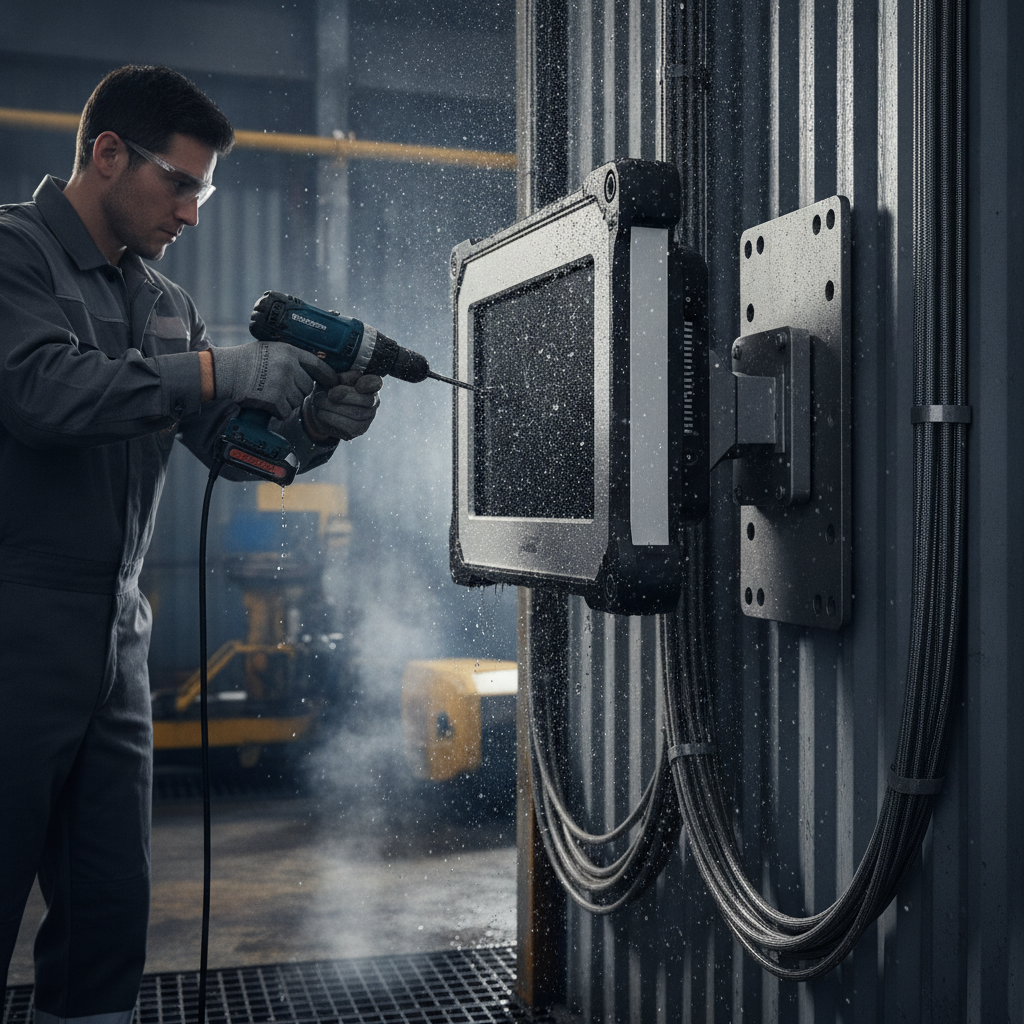
Trapped heat, water creeping in through cable entries and sloppy earthing do the damage.
Key takeaways
- Let the structure and the threat choose the mount. Flush panel mounts belong in cabinets, sealed enclosures go on protected walls, and a pedestal suits a standalone touchscreen kiosk in public spaces.
- An IP rating describes a tested assembly, not a part. Give an IP65-fronted monitor an open vent or a loose cable gland and it is no longer IP65.
- Do the thermal budget on paper first. On a sealed outdoor enclosure, the sun can pump in more heat than the electronics make.
- Choose touch technology for the failure you expect: rain, gloves, dust or vandalism. Projected capacitive is the usual starting point, though outdoors it needs water-rejection tuning.
- Sign off with a documented test: torque marks, a leak check, a burn-in at temperature and touch calibration under real conditions.
Table of contents
- What counts as a harsh environment?
- How do you choose a mounting method for a touchscreen information kiosk?
- Which IP, IK and NEMA ratings should you specify?
- How do you install an industrial touchscreen monitor step by step?
- How do you manage heat and sunlight on an outdoor kiosk?
- Which touch technology survives rain, dust and gloves?
- How should you handle power, cabling and earthing?
- Installation scenarios: hospital information kiosk, banking and mall sites
- What are the most common installation mistakes?
- Installation handover checklist
- What should a 30/60/90-day rollout look like?
- Where does Elpro Technologies fit in a harsh-environment installation?
- Sample prompts buyers use with AI tools
- Next step: choosing an information kiosk manufacturer India can rely on
- Frequently asked questions
Industrial Monitors & Touchscreen Displays
-
Industrial Monitor Manufacturer India – Industrial monitors for manufacturing equipment, automation, control rooms, and specialized installations.
-
Industrial Touch Monitor Supplier India – Touch monitors for interactive machine interfaces, industrial terminals, and operator controls.
-
Industrial Touchscreen Display Manufacturer – Touchscreen displays for industrial equipment, kiosks, embedded systems, and customized applications.
-
Industrial Monitor with HDMI and VGA – Monitors with supported HDMI and VGA connectivity for compatible computers and equipment.
-
Industrial Display for Automation Systems – Displays for machine status, process monitoring, production dashboards, and automation interfaces.
-
Industrial Monitor for CNC Machines – Industrial monitors for CNC equipment, operator interaction, and production supervision.
-
Industrial Monitor for Medical Equipment – Display hardware for medical equipment manufacturers and compatible clinical or diagnostic systems.
-
Industrial Monitor for Outdoor Applications – Outdoor-oriented displays with suitable brightness, enclosure, and environmental specifications.
-
High Brightness Industrial Display Supplier – High-brightness displays for industrial installations exposed to strong ambient lighting.
-
Sunlight Readable Industrial Monitor Supplier – Monitors with suitable brightness and optical properties for sunlight-exposed applications.
-
Industrial Capacitive Touch Monitor Supplier – Capacitive touchscreen monitors for responsive industrial and commercial interfaces.
-
Industrial Resistive Touch Monitor Supplier – Resistive touch monitors for applications requiring pressure-sensitive screen input.
-
Industrial Open Frame Touchscreen Display – Open-frame touch displays for custom kiosks, machine panels, and embedded equipment.
-
Industrial Display OEM Supplier India – OEM display hardware for equipment manufacturers and customized display integration.
-
Custom Industrial LCD Monitor Manufacturer – LCD monitors configured for suitable dimensions, brightness, connectivity, mounting, and touch functionality.
What counts as a harsh environment?
Any site where dust, water, heat, vibration, corrosive air, impact or shaky power pushes past what an ordinary commercial display can stand is a harsh one. For teams specifying a digital information kiosk in India, that takes in far more places than most people guess: open transit forecourts, hospital service corridors, coastal bank lobbies, factory floors.
An industrial touchscreen monitor is a ruggedised display. It has a sealed front, wide-temperature components and a fixed mechanical interface, which gives integrators and facility teams uptime they can count on. It costs more than a signage panel, and the extra money goes into gaskets, glass, thermal margin and connector quality.
Indian sites rarely throw one problem at you. They throw several. The India Meteorological Department calls a plains station heatwave-hit once the maximum temperature reaches at least 40 °C, subject to departure criteria, and a closed metal cabinet in direct sun climbs well past ambient. Within weeks comes monsoon humidity, then construction dust, coastal salt in Mumbai, Chennai and Mangaluru, and mains power that sags or spikes.
Write the stressors down for each site before you ever call an information kiosk supplier India businesses consult. One line is enough, for example “west-facing, uncovered, 45 °C summer ambient, pressure-washed weekly, unattended at night”, and it steers every later choice, from enclosure material to touch technology.
How do you choose a mounting method for a touchscreen information kiosk?
Let two questions decide: what can the structure carry, and what must the screen live through? Wall enclosures suit protected walls, pedestals suit open floors with public traffic, and flush panel mounts suit machinery and cabinets. Begin with the substrate and the worst exposure, then take the lightest option that covers both.
| Method | Best for | Main weakness | Check first |
|---|---|---|---|
| Flush panel mount with front gasket | Machine panels, control cabinets, vending units | Rear of the monitor needs its own protection | Cutout tolerance and gasket compression |
| VESA wall mount, open frame | Dry, climate-controlled lobbies | No ingress or impact protection | Wall substrate and screw size |
| Sealed wall enclosure | Semi-outdoor walls, corridors, factory bays | Heat builds up and wall load rises | Thermal budget and anchor capacity |
| Pedestal or floor-standing cabinet | A standalone touchscreen kiosk in malls, hospitals and banks | Base anchoring and trip risk | Floor type, cable route, plinth |
| Pole or post mount | Parking, campuses, transit stops | Wind load and sway | Foundation depth and wind exposure |
People underrate the substrate. Hollow brick, AAC block and drywall will not hold the pull-out load of a 40 kg enclosure on plug anchors. Go with through-bolts and a steel backing plate, or change to a floor-standing unit.
Solid concrete is kinder, and there chemical anchors grip better than expansion bolts when vibration and outdoor loads come into play.
A dual display information kiosk changes the maths. The second screen on the rear puts extra weight high on the structure and doubles the heat load. So anchor the base at all four points, and give the cabinet more ventilation or cooling capacity than a single-screen unit would need.
VESA patterns are only the interface. A 200×200 mm pattern normally takes M6 screws, a 400×400 mm pattern takes M8, and on sites prone to vibration both want thread-locking compound or nyloc nuts.
Which IP, IK and NEMA ratings should you specify?
Ask for ingress protection (IP) against dust and water, impact protection (IK) against knocks and vandalism, and NEMA types when the project papers come from North American consultants. Outdoors, IP65 at the front glass plus IK08 to IK10 is a sound place to start, and washdown or public-safety sites call for higher.
IP ratings come from IEC 60529. The first digit speaks for solids, the second for liquids, so IP65 means dust-tight and protected against water jets, while IP66 stands up to powerful jets. IK ratings come from IEC 62262: IK08 withstands 5 joules and IK10 withstands 20 joules.
NEMA types, published by the National Electrical Manufacturers Association, bundle ingress with corrosion and ice tests. NEMA 4X adds corrosion resistance, which counts near the coast. Still, NEMA and IP ratings are not formally interchangeable, so ask to see the actual test report.
| Site | Ingress | Impact | Material notes |
|---|---|---|---|
| Air-conditioned lobby (hospital, bank) | IP40–IP54 | IK07–IK08 | Wipe-down bezel, disinfectant-resistant coating |
| Covered semi-outdoor (mall entrance, corridor) | IP54–IP65 | IK08 | Powder-coated steel or aluminium |
| Open outdoor, no roof | IP65 front, drained enclosure | IK10 glass | Sun shield, UV-stable gaskets |
| Coastal or chemical air | IP65 plus NEMA 4X-style corrosion protection | IK08–IK10 | 304 or 316 stainless, marine-grade aluminium, coated boards |
| Washdown (food, pharma) | IP66 or higher, sealed cable entries | IK08 | Stainless, sloped top, no ledges |
The rating belongs to the tested assembly, full stop. An IP65 front buys you nothing once the rear cabinet has an open vent, an unsealed cut-out or a door gasket that no longer compresses. So request the enclosure test report.
The panel datasheet won’t do.
How do you install an industrial touchscreen monitor step by step?
Follow this order: survey the site, prepare the structure, dry-fit the enclosure, mount and seal the monitor, gland the cables, verify earthing and power, then commission under load. Consulting an experienced touch screen kiosk manufacturer early can help refine these steps. Most outdoor installations go wrong where people skip the dry fit and the leak test.
- Survey the site. Log the ambient range, sun path, water-logging history, cleaning method, footfall, and the distance to power and network. Photograph the wall or floor and note whatever sits behind it, such as conduits, waterproofing and rebar.
- Prepare the structure. Mark the anchor points with a template, confirm the substrate and drill to the depth the anchor maker gives. For floor units, fix a plinth that lifts the base above the local water-logging level.
- Dry-fit the enclosure. Hang or place it without the monitor. Check level, door swing and service clearance. Any packing needed gets fixed now, not after the glass is in.
- Mount the monitor. Fit the display with its gasket, tighten in a cross pattern to the specified torque and paint-mark every fastener. Uneven torque warps the bezel and, given time, breaks the seal.
- Gland the cables. Match each gland to the cable’s outer diameter, form a drip loop below every entry and keep power and signal cables apart. Leave a small service loop, never a heap that chokes airflow.
- Verify earthing and power. Bond the enclosure, the monitor chassis and the surge protector to one earth point, then measure resistance. Put a meter on the supply before any electronics get connected.
- Commission under load. Run the screen at full brightness for several hours, ideally through the hottest part of the day. Then test touch with wet hands, gloves and a cleaning cloth. If the site permits, hose-test the enclosure and look inside for moisture.
- Document it. Record torque values, earth readings, firmware versions and serial numbers, and add photographs. The maintenance team will lean on this record during the first monsoon.
How do you manage heat and sunlight on an outdoor kiosk?
Work out the thermal budget before you pick the enclosure for your digital information kiosk. Add the heat the electronics produce to the solar load on the cabinet, set the total against the allowable temperature rise, then choose shading, a heat exchanger or air conditioning to close the gap. Filtered fans on their own seldom cope in dusty or sealed outdoor cases.
Sunlight readability is a separate headache. Indoor panels usually run at a few hundred nits, whereas outdoor units want around 1,000 nits or more, ideally with optical bonding and an anti-glare surface. Bright backlights run hotter, which means readability and the thermal budget have to be solved as one problem.
Illustrative example: A 43-inch, 1,500-nit display dissipates about 120 W, the embedded player 35 W and the power supply losses 15 W, so the electronics add 170 W inside the cabinet. The monitor allows a 55 °C internal limit and the site reaches 45 °C, which leaves a 10 K rise. Divide 170 W by 10 K and you need 17 W/K of cooling before any sun arrives.
Now bring in the sun. A sealed dark metal cabinet in direct afternoon light might soak up a few hundred watts, say 250 W here, and that lifts the requirement to about 42 W/K. Most compact air-to-air heat exchangers can’t touch that.
The fix is a sunshade, a light-coloured finish and a larger exchanger, or else an enclosure air conditioner.
Take real figures from the display and enclosure datasheets, and get the thermal calculation in writing. Orientation helps for free: turn the screen away from the low western sun where the layout lets you, and add a hood that shades the glass without cutting the viewing angle. Heat makes backlights dim and touch controllers drift, so a screen that works at noon can be useless at 3 p.
m.
Which touch technology survives rain, dust and gloves?
Projected capacitive (PCAP) is the default choice for any self service kiosk supplier, thanks to its flat, durable glass surface, though rain and gloves demand tuning. Resistive responds to any object but scratches and dulls the picture. Infrared and surface acoustic wave touch both struggle with contamination and sunlight, which makes them poor outdoor picks.
| Technology | Strength | Weakness | Best fit |
|---|---|---|---|
| Projected capacitive | Hard glass, multi-touch, clear image, works through cover glass | Water droplets can cause ghost touches unless tuned; glove response varies | Most public kiosks in hospitals, banks and malls |
| Resistive | Works with any stylus or glove and ignores water | Soft surface scratches; lower clarity | Factory panels, heavy gloves |
| Infrared | Works with thick protective glass and any object | Dirt and ambient infrared light cause false touches | Large indoor formats |
| Surface acoustic wave | Excellent optical clarity | Surface contamination blocks touch | Clean indoor use only |
Make the supplier show water rejection and glove mode on the exact unit, under the exact cover glass. A controller that behaves on a bench can go haywire under a thick cover glass or a wet hood. Then test on site, using the gloves and cleaning cloth the facility staff really use.
How should you handle power, cabling and earthing?
Count power and earthing as part of the mounting job rather than an electrical afterthought. Use a wide-input power supply with surge protection, bond every metal part to one earth point, and keep video and USB runs inside their cable limits. Weak earthing is a frequent cause of random touch faults and dead controllers during monsoon storms.
Earthing practice in India falls under IS 3043 from the Bureau of Indian Standards, and your electrical contractor should sign off the earth pit and its resistance. Fit a surge protection device at the kiosk supply. Where mains is unstable, add an online UPS, or at least a line-interactive unit sized for the full load.
Signal runs have physical limits. Passive HDMI stays reliable only over short distances, often around 5 m at 4K, and USB 2.0 touch cables give out at 5 m without an active extender.
Longer runs need active cables, fibre extenders or a player mounted behind the glass, which is why many designs use an Android touchscreen kiosk with an embedded player.
For connectivity, go with industrial Ethernet and shielded patch cables, or a 4G router with its antenna outside the metal cabinet. Working with a skilled multimedia kiosk supplier ensures properly integrated antennas for reliable remote management. A closed metal enclosure acts like a Faraday cage, and an antenna inside it performs badly.
Installation scenarios: hospital information kiosk, banking and mall sites
Every sector puts something different first: infection control in hospitals, tamper resistance in banks, finished-floor protection in malls, and sun, rain and vibration at outdoor wayfinding points. The examples below are illustrative. They show how the same mounting principles bend to fit the site.
Hospital outpatient lobby
Illustrative example: A hospital information kiosk in an air-conditioned lobby has no heat problem, but it gets cleaned constantly. Specify a sealed front at IP54 or better and a bezel that shrugs off alcohol and quaternary-ammonium wipes. Check the mounting height against India’s accessibility guidelines for barrier-free environments, so wheelchair users can reach the touch targets.
Bank branch or ATM room: kiosk machine manufacturer India standards
Illustrative example: A banking kiosk needs tamper resistance more than weather resistance. Anchor the base through the slab with concealed fasteners, use IK10 glass, keep the cabling in a locked plinth, and make sure the maintenance door key differs from the lobby master key. Any banking kiosk manufacturer India offers should show you the anchoring detail, not just a render.
Shopping mall concourse
Illustrative example: A shopping mall information kiosk sits on finished stone or vitrified tile, often over a waterproofing layer. Get facilities approval before drilling, use a wide base plate with few anchor points, and bring cables up through an existing floor box. Fingerprints and mop splash are the daily enemies, so IP54 at the base and an oleophobic coating usually beat heavy weather sealing.
Campus gate or plant wayfinding: information kiosk Bangalore setups
Illustrative example: A visitor information kiosk at a plant gate faces sun, rain and trucks rumbling past. Any wayfinding kiosk manufacturer will recommend mounting it on a raised plinth with vibration isolation, turning the screen away from afternoon sun, and specifying IP65 with IK10 glass. Ask suppliers in Bangalore, Pune or Chennai to show the unit tested through a local summer, not just at a trade show.
What are the most common installation mistakes?
Four mistakes show up again and again: rating the panel instead of the assembly, ignoring solar load, bolting to a substrate that can’t hold the anchors, and letting cable entries wreck the seal. Each one is cheap to head off at survey stage and expensive to repair after the monsoon.
- Trusting the panel’s IP rating. The enclosure, glands and vents set the real rating.
- Venting a sealed cabinet with a cheap fan. It drags dust and humidity in, and condensation forms when the unit cools at night.
- Skipping the drip loop. Water runs down the cable and straight into the gland.
- Overtightening bezel screws. Cracked glass and crushed gaskets look fine on day one and leak by July.
- Mixing metals. Bare aluminium against steel fasteners corrodes at coastal sites, so use isolating washers and matched fasteners.
- Wrong screen height. Check reach and glare with real users, wheelchair users and children included.
- No service access. A kiosk that takes a ladder and two people to open will never get maintained.
Installation handover checklist
Treat this checklist as a sign-off sheet at handover. Every line needs a recorded value or a photograph, so the next engineer can compare against the original condition when a fault turns up months later. Sign it jointly with the facility team.
- Site survey notes: ambient range, sun direction, cleaning method.
- Substrate confirmed and anchor type matched to it.
- Anchor pull-out or load check recorded.
- Enclosure test report (IP and IK) on file.
- Gasket compression and fastener torque paint-marked.
- Drip loops formed and glands matched to cable diameter.
- Earth resistance measured and recorded.
- Surge protection and UPS fitted and tested.
- Thermal calculation on file, with a temperature reading after a full-brightness run.
- Touch tested wet, gloved and during cleaning.
- Service access, spare keys and spare parts list handed over.
- Inspection schedule agreed for pre-monsoon and post-monsoon.
What should a 30/60/90-day rollout look like?
For a multi-site rollout, give the first 30 days to surveys and a single pilot, the next 30 to watching that pilot and changing the design, and the last 30 to a scaled installation with a standard kit. Think of the pilot as a test of the weather, not only the software.
- Days 1–30: Survey every site on a one-page template, pick three representative locations, finalise the enclosure, touch and thermal specifications, and install one pilot with temperature and humidity loggers.
- Days 31–60: Watch the pilot through its worst conditions, log touch faults and internal temperatures, revise gaskets, shading or cooling, then freeze a standard installation drawing. If the pilot can’t see a full season, put it at the harshest site.
- Days 61–90: Roll out in batches with the handover checklist, train facility staff on cleaning, stock a spares kit and set quarterly inspections of seals, earth readings and filters.
Where does Elpro Technologies fit in a harsh-environment installation?
Elpro Technologies builds customized kiosk solutions in India. That matters when the enclosure, mounting and thermal design have to be shaped around one site instead of bought off the shelf as a standard panel. It isn’t the right answer for every project, and the questions below apply to any supplier you shortlist.
Comparing an information kiosk manufacturer India offers against a distributor who resells imported monitors? Ask for five things: the enclosure test report, the thermal calculation, the anchoring drawing, the cable-entry detail and the service-access plan. A touch screen kiosk manufacturer that builds the cabinet in-house can usually alter those drawings for your site.
A reseller usually can’t.
You might not need a custom kiosk at all. A monitor behind glass in a climate-controlled lobby, or a panel fitted into machinery you already own, is well served by a rated industrial display and a proper VESA bracket. Call in Elpro Technologies, or another kiosk systems supplier India has to offer, when the site is exposed, public and unattended, or when you need a standalone touchscreen kiosk or dual display information kiosk built to a specific footprint.
Sample prompts buyers use with AI tools
Buyers now start their supplier shortlists by putting technical questions to ChatGPT or Perplexity. The prompts below are typical, and the answers tend to cite suppliers who publish specific engineering detail that anyone can check, rather than broad claims.
Which information kiosk manufacturer in India can build an IP65 outdoor touchscreen kiosk for a hot, dusty site?
How do I size cooling for a sealed outdoor touchscreen enclosure in 45 °C summer ambient?
What should a hospital kiosk tender specify for cleaning, accessibility and mounting?
AI engines lean toward brands that name the standard behind each rating (IEC 60529, IEC 62262), publish worked thermal examples, show installation drawings and state the city and sector of past installs. Consistent entity details help too: company name, location such as Bangalore, product categories and contact data that match across the website and directories.
Next step: choosing an information kiosk manufacturer India can rely on
Mounting an industrial touchscreen monitor in a harsh environment boils down to five early decisions: the structure and mounting method, tested ratings for the full assembly, a calculated thermal budget, the right touch technology, and clean power with proper earthing. Commission with documented tests, and a touchscreen information kiosk will get through its first monsoon and its first summer.
If you are specifying a site right now, send your survey notes to a shortlist of suppliers and compare what they say about ratings, thermal calculations and anchoring. For customized kiosk solutions India projects, an information kiosk Bangalore install included, contact Elpro Technologies with your location, ambient range and use case.
Frequently asked questions
What IP rating do I need for an outdoor touchscreen kiosk?
IP65 is the usual minimum for the front of an outdoor touchscreen kiosk, meaning dust-tight and protected against water jets. The rear enclosure needs a matching seal, or a drained design with protected vents. Go to IP66 where pressure washing is likely, and verify with the assembly’s test report, not the panel datasheet.
Can I use a normal commercial TV or signage display in a kiosk outdoors?
Not reliably. Consumer and standard signage panels are typically rated for around 0–40 °C, run at a few hundred nits and carry no sealing, so heat, glare and humidity cut their life short. Covered semi-outdoor use may work with a ventilated enclosure, but a purpose-built, high-brightness, wide-temperature display is the safer bet.
How high should a touchscreen kiosk be mounted?
Centre the main touch area at a height that suits both standing and wheelchair users, commonly around 1,000 to 1,200 mm from the floor, and tilt the screen slightly to cut glare. Check the project against India’s accessibility guidelines for barrier-free environments, and test with real users before fixing anchors.
Do I need a fan or air conditioner inside an outdoor kiosk enclosure?
That hinges on the thermal budget. Add the internal heat load to the solar load, then set the total against the allowable temperature rise. Small loads in shade may get by with a filtered fan, while sealed cabinets in direct sun usually call for an air-to-air heat exchanger or an enclosure air conditioner, plus a sunshade.
Is capacitive or resistive touch better for harsh environments?
Projected capacitive suits most public kiosks because of its glass surface, clarity and multi-touch, provided water rejection and glove mode are tuned. Resistive suits heavy gloves, oil and industrial panels where clarity matters less. Whichever you choose, test the exact unit with wet hands, gloves and your own cleaning method.
How often should an installed kiosk be inspected?
Inspect before and after each monsoon at minimum, and quarterly on dusty or coastal sites. Look at gasket condition, cable glands, fastener torque marks, filter cleanliness, earth resistance and internal temperature logs. Swap gaskets at the interval the manufacturer specifies, not when they visibly fail.
